Add ClaySys App in office365
ClaySys AppForms is a provider-hosted app that can be integrated with your Office 365 environment. Follow the steps below to add ClaySys AppForms to your SharePoint site collection.
Steps to Add ClaySys AppForms
Step 1:
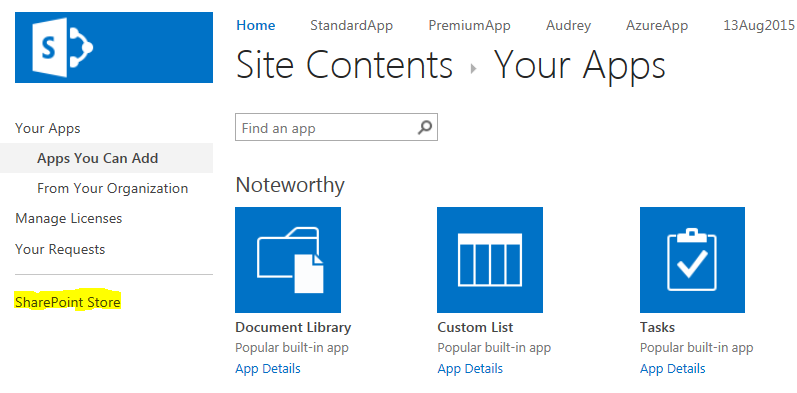
Navigate to the Site Contents of your SharePoint site collection.
Step 2:
Click on “Add an App”. In the left-hand navigation pane, select “SharePoint Store.”
Step 3:
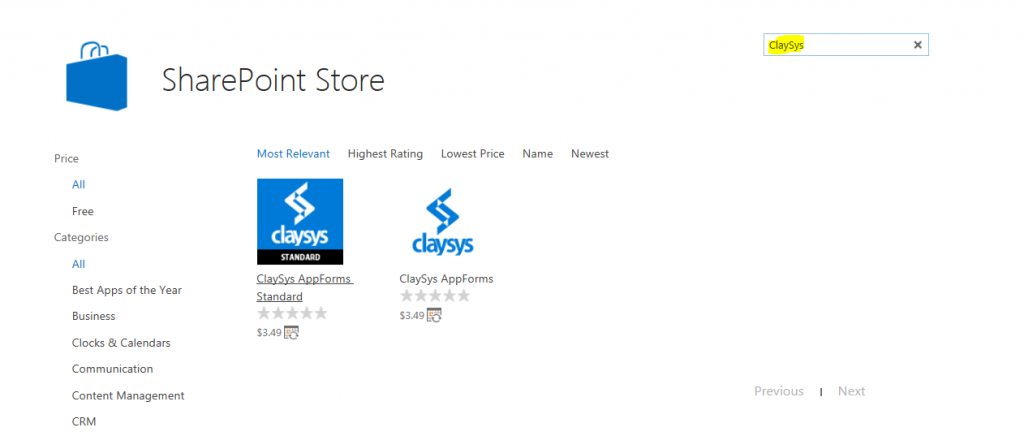
In the “Find an App” search box, type “ClaySys”. The search results will display as shown below.
Step 4:
You will see two versions of the ClaySys AppForms application:
ClaySys AppForms Premium
- Requires Tenant Admin permissions to install.
- Includes access to the User Profile Service.
ClaySys AppForms Standard
- Requires Site Collection Administrator permissions.
- User Profile Service is not available in this version.
By selecting either version, users can successfully add ClaySys AppForms to their Office 365 environment.