AppForms Designer Basics
The AppForms Designer is where you design the form’s user interface (UI). It features a drag-and-drop interface that allows you to easily create the form’s layout. Form and control properties can be configured using the Properties Pane on the right side.
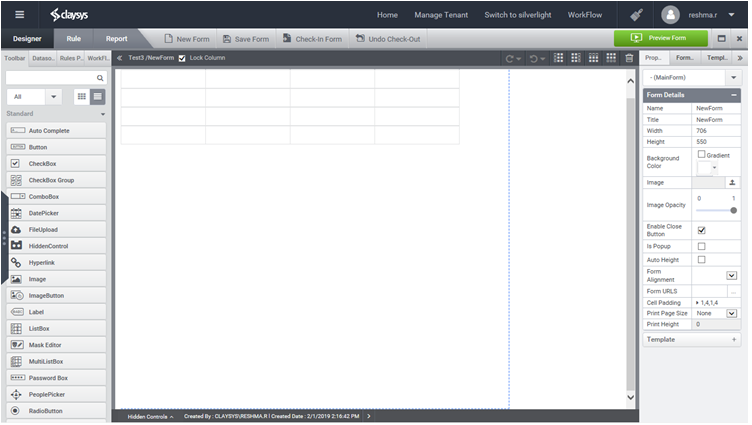
The main sections in the AppForms Designer are:
- Designer
- Rule
- Reports
- Tool Bar
- Grid View
- Form Properties