Client Files in Server
The ClientFiles folder on the server is used to store commonly used application resources such as JavaScript files, CSS files, and custom images that can be shared across multiple forms within a site.
Folder Path
SiteName\AppSite\ClientFiles
Usage
JavaScript, CSS, and image files should be stored in ClientFiles when they need to be reused across multiple forms.
Images can also be stored in ClientFiles instead of:
- Embedding them directly inside forms
- Referencing them using hardcoded external URLs
This approach helps centralize and standardize shared resources across the application.
Advantages
- Reusability: Enables JavaScript and CSS files to be shared across multiple forms without duplication.
- Performance:Improves loading efficiency by allowing common resources to be reused.
- Maintainability:Simplifies maintenance by managing scripts, styles, and images from a centralized location.
- Scalability:Suitable for storing large or frequently used scripts and style files.
Best Practices
- In load-balanced environments, ensure that the ClientFiles folder is deployed across all servers.
- Use optimized and compressed images to improve application performance.
- Avoid hardcoding image URLs. Always reference images from ClientFiles.
- Store reusable scripts in ClientFiles instead of adding them individually through the Content Editor in forms.
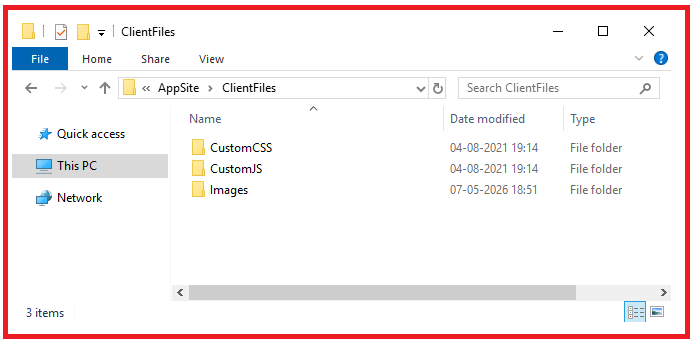
- Organize files into appropriate folders such as CustomJS, CustomCSS, and Images for easier management.
Example
A custom script added to ClientFiles can be reused across all forms within the site.
Adding JavaScript Files
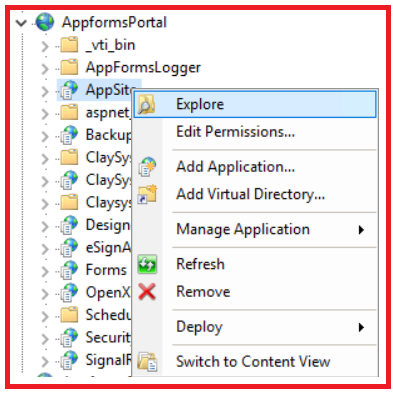
- Navigate to the AppSite of the respective site.
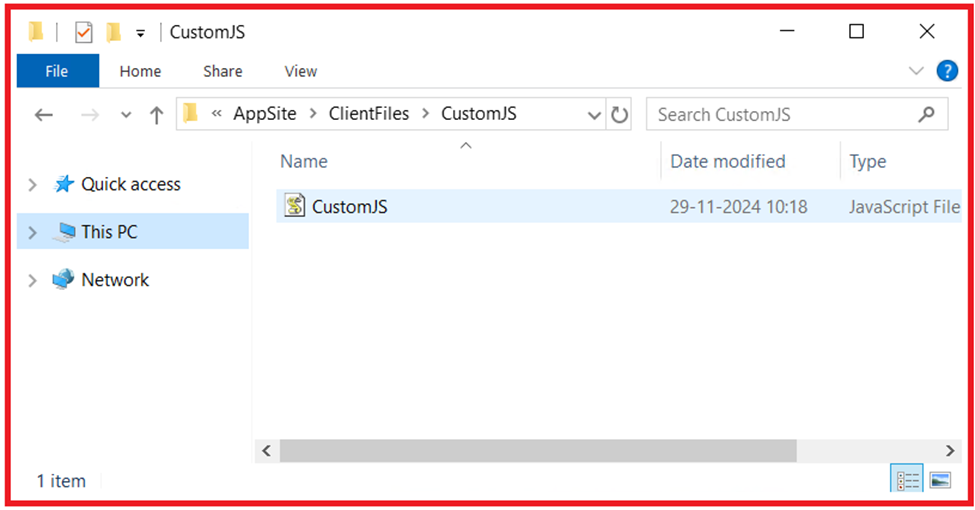
- Open the following location inside the ClientFiles folder and add the required JavaScript file to this folder.
ClientFiles\CustomJS
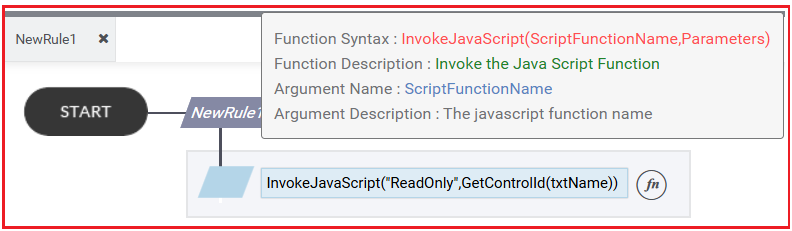
3. The script added in ClientFiles can be invoked from a form using the InvokeJavaScript() function.
Adding CSS Files
- Add the required CSS file under:
ClientFiles\CustomCSS - In the form, specify the required CSS class in the Custom Style tab of the corresponding control.
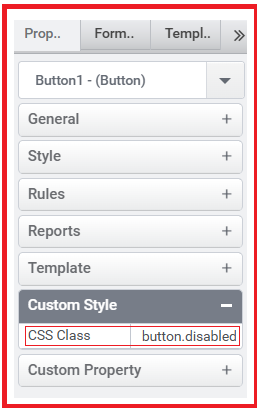
This allows the CSS styles to be applied across forms consistently.
Adding Images
- Store image files under:
ClientFiles\Images - Use the image path in the ImageURL property of the Image or Image Button control.
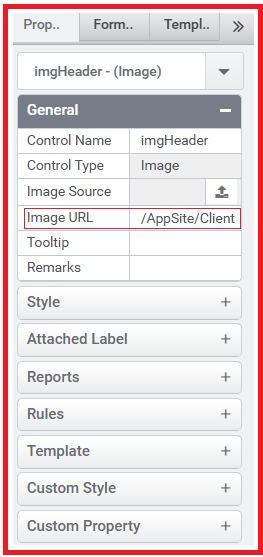
This enables centralized image management and reuse across multiple forms.