Report
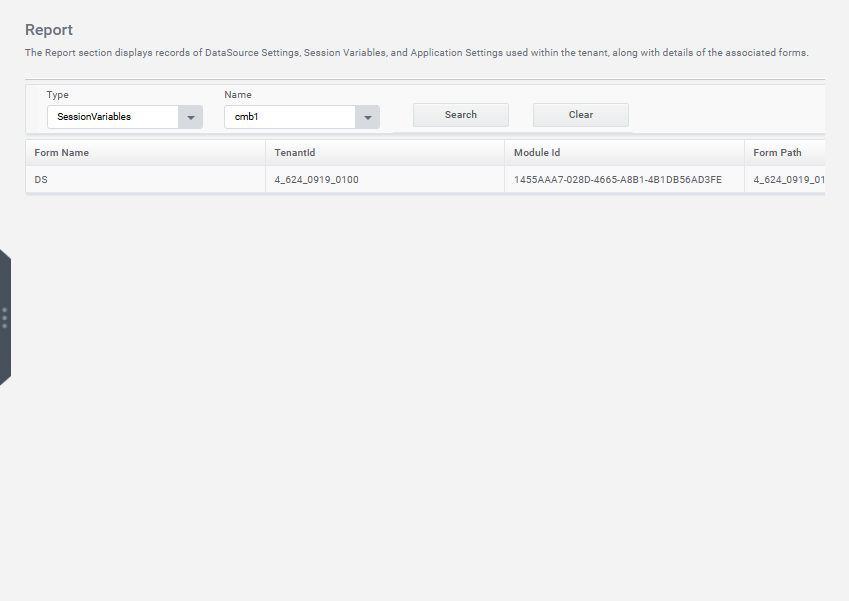
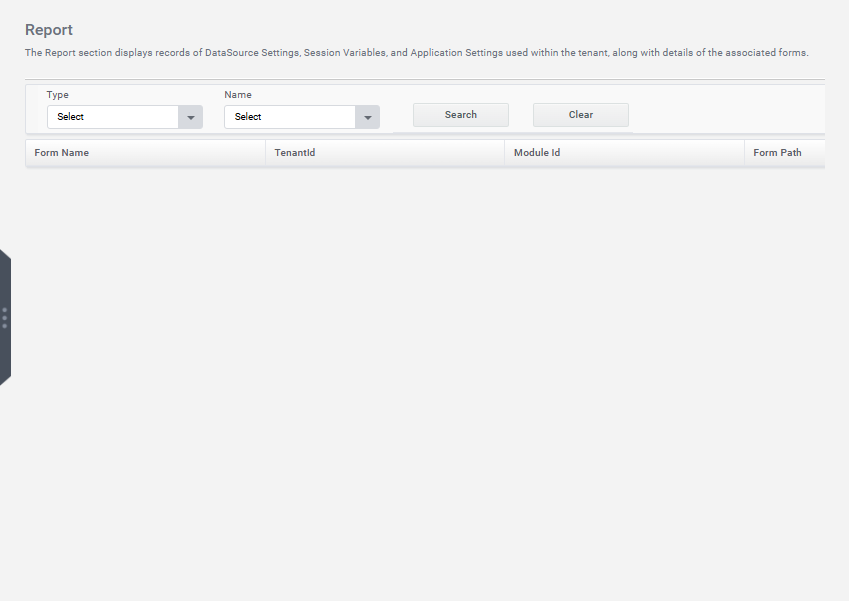
The Report section displays records of Data Source Settings, Session Variables, and Application Settings used within the tenant, along with the details of associated forms.
Data Source Report
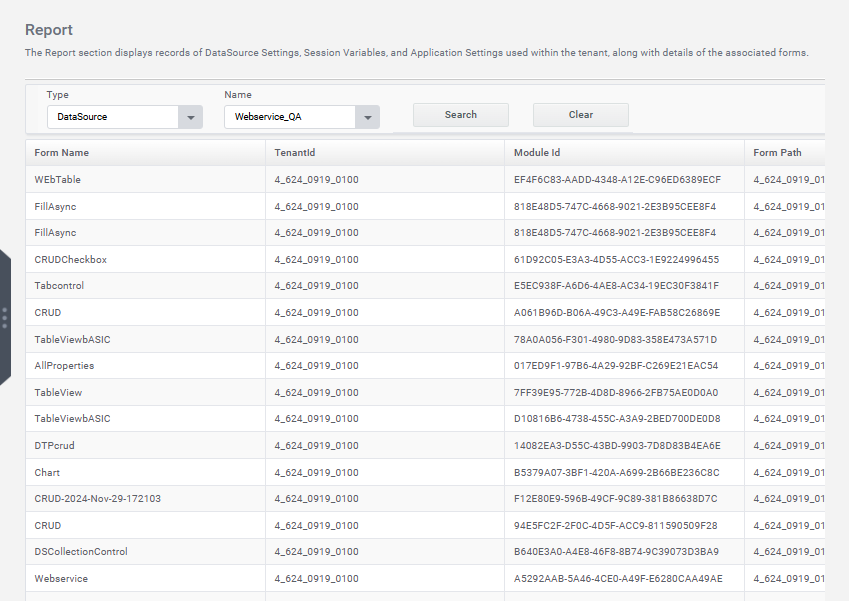
The user can generate a report listing all data sources used within a specific tenant, along with details of all forms that utilize each particular data source.
Step 1: Select the type Data Source from the Type section.
Step 2: Select the Name of Data Source from the Name section
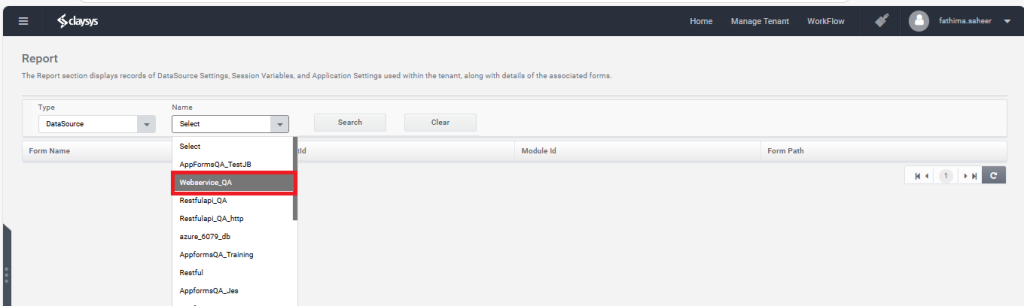
Step3: Click on the Search button.

Step4: The Report Section generates a report for the selected data source, displaying the Form Name, Tenant ID, Module ID, and Form Path.
Appsettings Report
The user can generate a report listing all appsettings used within a specific tenant, along with details of all forms that utilize each appsettings value.
Step1: Select the type AppSettings from the Type combobox.
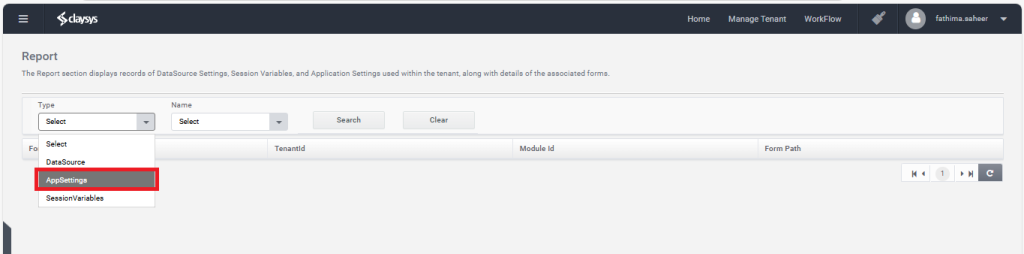
Step2: Select the Name of App Settings from the name section.
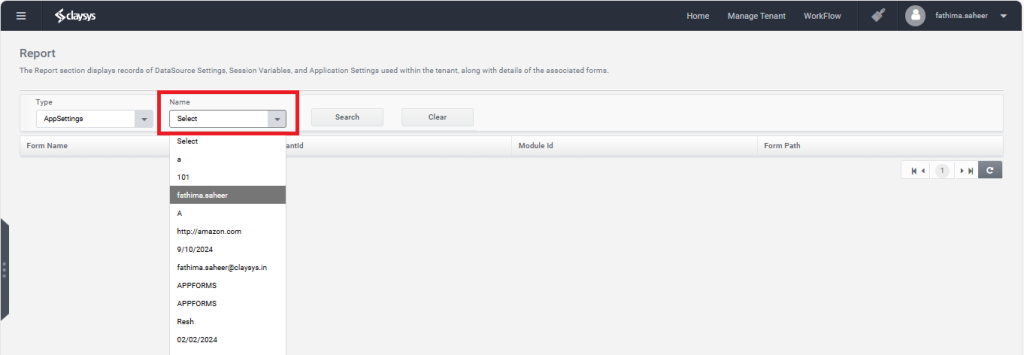
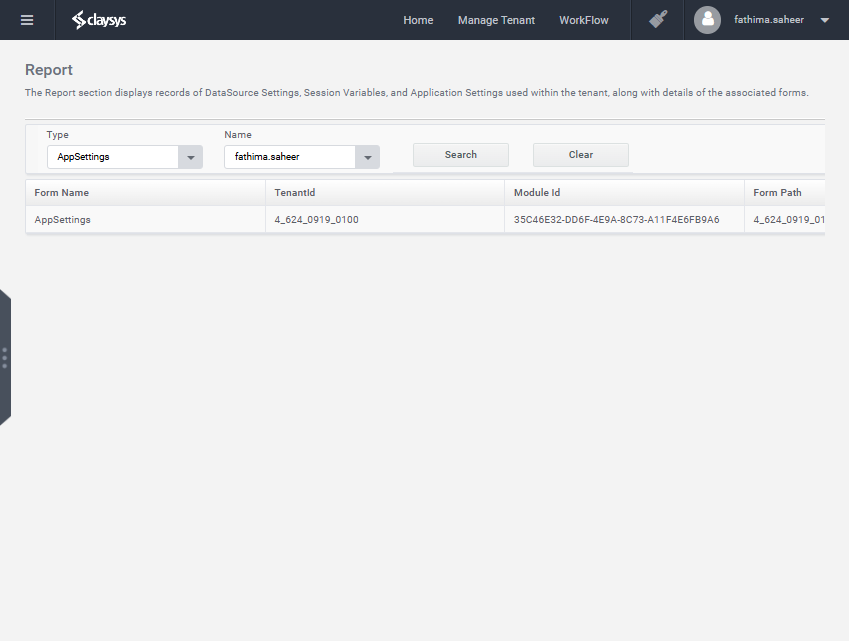
Step 3: Click on the Search Button

Step 4: The Report Section generates a report for the selected app settings, displaying the Form Name, Tenant ID, Module ID, and Form Path.
Session Variables
The user can generate a report listing all Session Variables used within a specific tenant, along with details of all forms that utilize each session variable.
Step1: Select the type SessionVariables from the Type combobox.
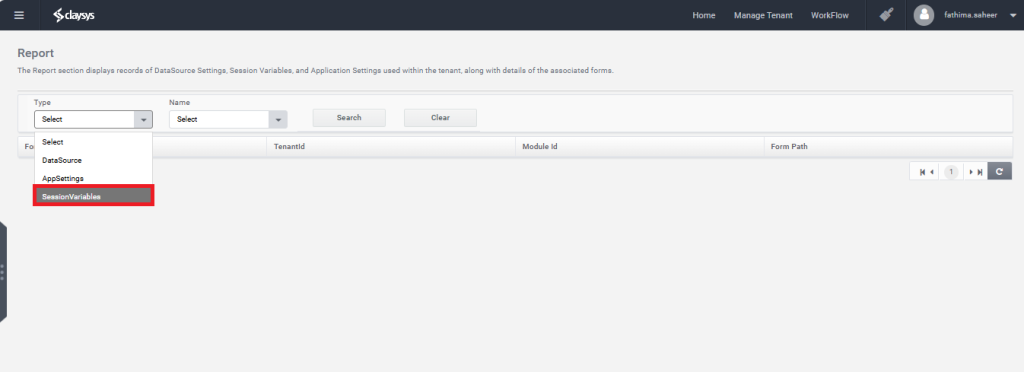
Step2: Select the Name of SessionVariable from the name section.
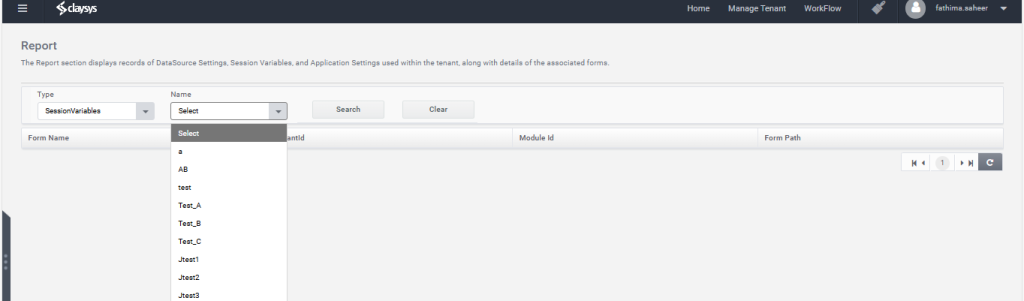
Step 3: Click on the Search Button.

Step 4: The Report Section generates a report for the selected session variable displaying the Form Name, Tenant ID, Module ID, and Form Path.