Import Export
The import-export feature allows users to keep a backup of certain data such as the Process, Queue, Resources, Triggers, NuGet Packages and Holiday Calendar from a particular Bot Manager environment. It also lets the user upload and restore the data that was backed up previously from one Bot Manager environment to another.
To access the Import Export window, the user has to select the Import Export under the Bot Manager settings. This functionality is split into two separate tabs under the Bot Manager:
- Backup
- Restore.
The Backup tab functions as the export feature while the Restore tab serves as the import feature.
Backup
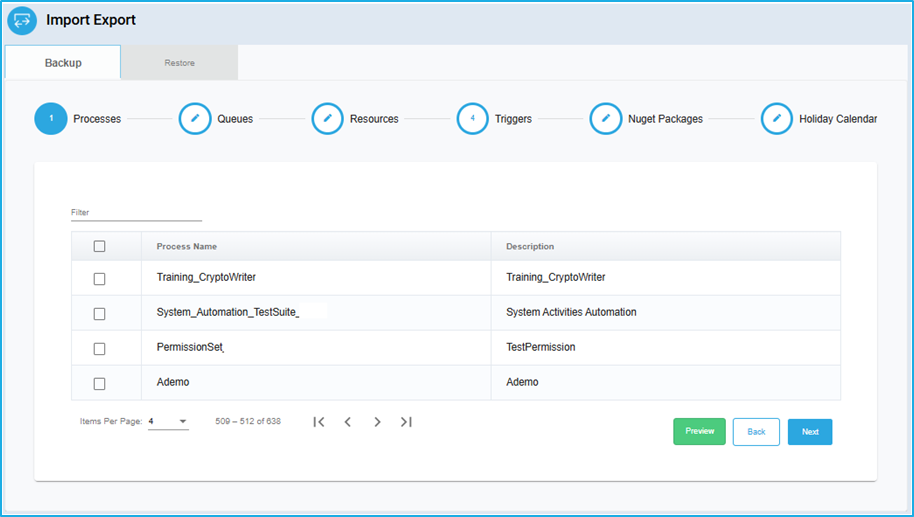
In the “Backup” tab, the user can export Process, Queue, Resources, Triggers, NuGet Packages, and Holiday Calendar that have been previously created in the Bot Manager. To store the data as a backup, the user can navigate through the lists and select the required data using the checkbox (for example – specific process, particular resource, etc.). Once the data that needs to be backed up is selected, the preview button at the bottom can be clicked. Finally, the download option will be visible in the preview window.
Restore
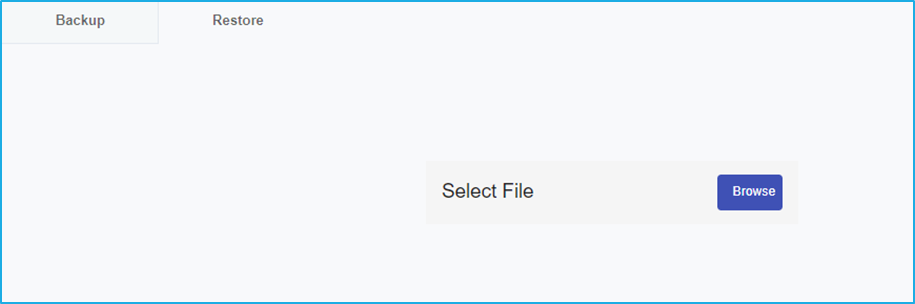
The data that has been backed up and stored locally in the system can be uploaded and restored. Under the ‘Restore’ tab, the user can import Processes, Queues, Resources, Triggers, NuGet Packages and Holiday Calendars to the separate BMT environment as per the requirement. This can be performed by clicking on the “Browse” button and selecting the file to upload from the user’s local machine.