Sub Activity – Settings
This section contains the activity BotManagerMailer, which can be used for sending mails either via Server or Bot Machine.
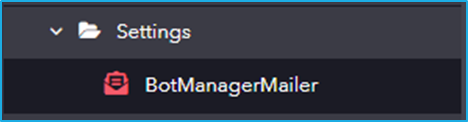
The Settings category has the following sub-activity:
BotManagerMailer: This activity is used for sending SMTP mails either from a robot or a server machine.
Input Properties:
- ServerType: Specify the type of server (robot or server machine) from which the SMTP email should be sent.
- Attachments: Specify one or more file paths of attachments to be included in the email, in the form of an Array.
Note: Currently, attachments are supported only when the server type is set to robot machine.
Email Properties:
- Body: Define the email content.
- Subject: Specify the email subject.
- IsBodyHtml: Indicate whether the email body contains HTML formatting.
- MailMessage: Accept an email message object for sending.
- Priority: Define the priority level of the email.
Receiver Properties:
- To: Provide the email addresses of the primary recipients as a single string, with multiple addresses separated by comma.
- Bcc: Enter the hidden recipients of the email message.
- Cc: Enter the email addresses of recipients to receive a copy of the email.
- Reply-To: Specify the email address to which replies should be redirected.
Sender Properties:
- From: Specify the email address that will appear as the primary sender in the recipient’s inbox.
- Sender: Specify the email address used to send the email on behalf of another user. When both Sender and From are set, recipients will see the email as “Sender address on behalf of From address”.