Publishing a Project
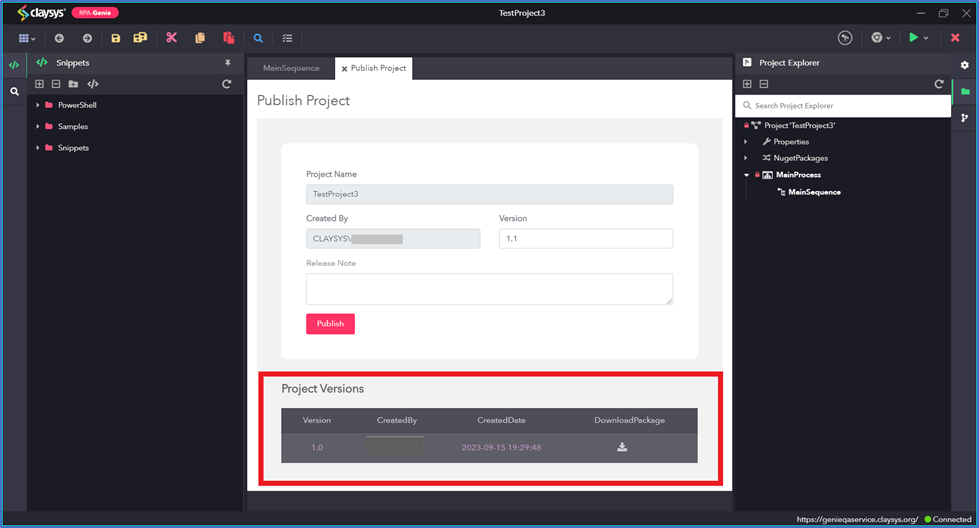
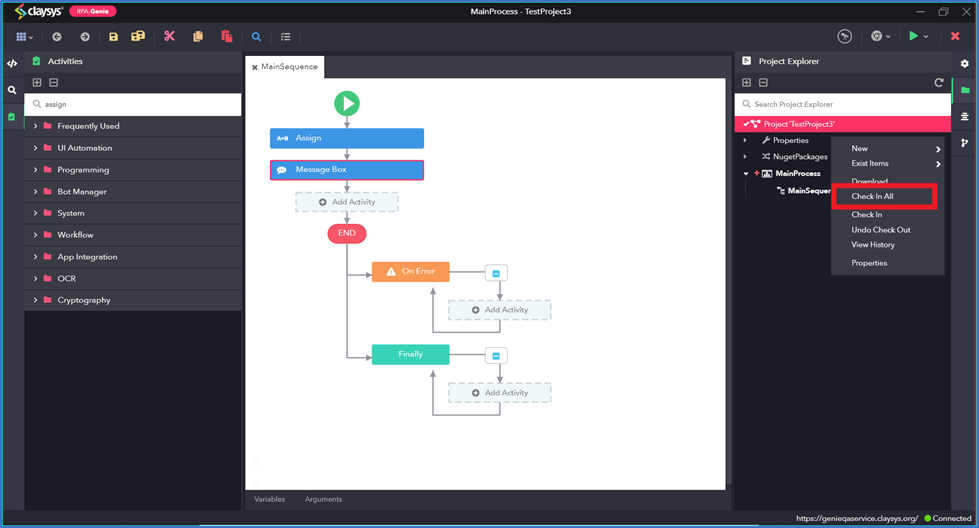
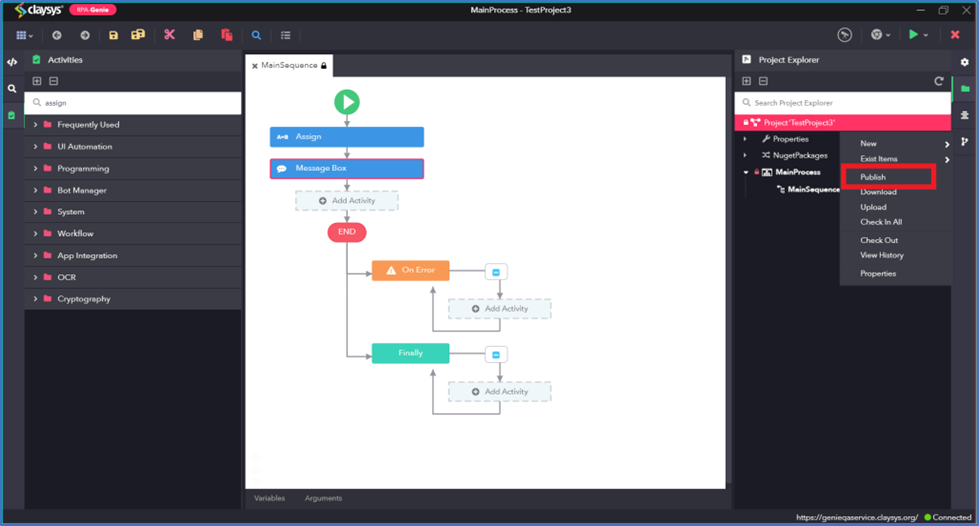
To publish a project, right-click on the Project Name in the Project Explorer and select the publish option. But before publishing the project, every process must be checked in. A package will be created upon publishing a project and users can view the previous versions of the package while publishing the project.
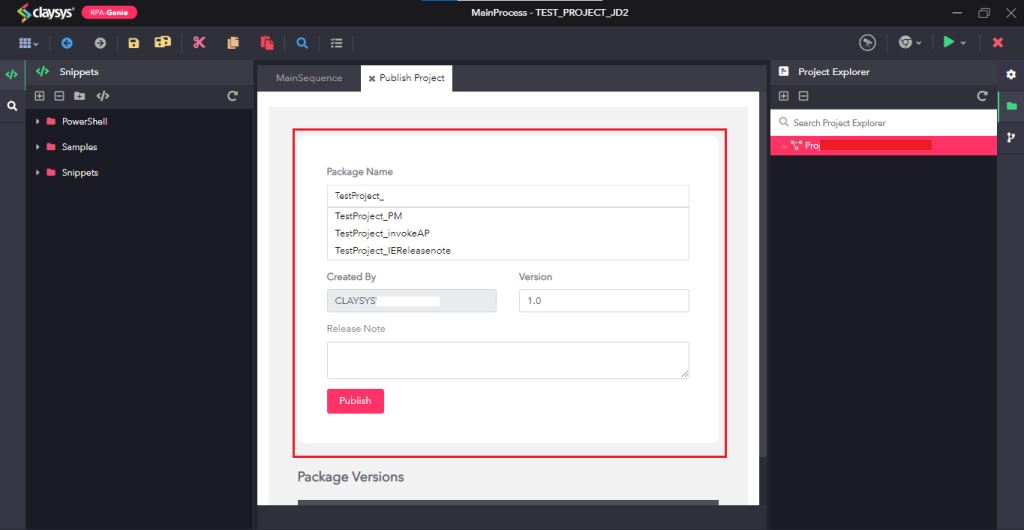
In the Publish Project wizard, users can publish a project either using a new name for the package or as a new version of an existing package available in the bot manager. Additionally, the release note and version details can be updated if required. After providing all the details, click on the “Publish” button.
After publishing, user will see a pop-up named “RPA Genie Message” showing “Published Successfully”.
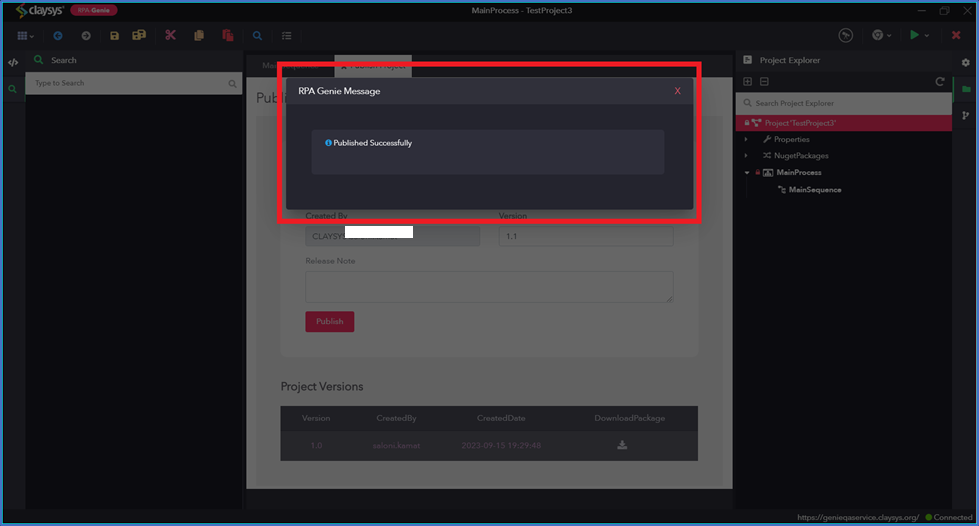
In the Project Versions section, user would be able to see all published version along with the username of the creator, created date and time. Further, there is option to download the package for specific version.