When The World Is Firing, ClaySys Is Hiring

“Every crisis is also an opportunity,” Yuval Noah Harari.

When Coronavirus reared its ugly head, the world began to face an unprecedented crisis that it has ever witnessed. Since the pandemic hit the whole world, people remained indoors, and many uncertainties began to stare at them. Job insecurity acted as the main villain in the long list of their worries, and layoffs seemed to be the order of the day. Even if the world has returned to normalcy, the trend is yet to be reversed. 

But ClaySys has shown an aberration in the trend by hiring more against the wave of layoffs and furloughs. This year alone,  ClaySys has hired 15% more than its regular intake, and the organization is set to add around 2,000 employees to its workforce within a year. 

For the last few years, many organizations have shown an unwillingness to expand and have zeroed in on their core functions. But ClaySys has taken an unwavering stance to stride against the tide by moving into various fields other than technology-related services, including BPO, healthcare, restaurants, etc. 

We continue to hire against the existing vacancies for software developers, AppForms developers, project coordinators, software test engineers, and .NET developers. 

By matching your potential and talents, we can offer you the best workspace that ensures your professional growth and success in a highly-spirited environment. 

Review our open positions and apply now

Ways to Increase App Download and Installs 

Introduction 

What is the most difficult problem a developer may face after an app release? The one and only big problem many developers face after the release of their app is its reach. The number of downloads and installations are the two key components that determine the success of an application. Fewer downloads or installs can discourage the confidence the user had while developing the app. All you need is a little effort and the right knowledge to make your app noticeable to the masses. 

Ways to increase your app download 

Let’s take a look into some of the ways through which we can increase app downloads.  

Create an attractive app icon  

The design you choose plays a crucial role in attracting the masses to the app. As it grabs the attention of the people immediately, the design should be chosen wisely. It should be catchy, noticeable, and should represent the purpose of the app you have built. The App icon should be able to silently describe what it offers to the customers once they install it. It is best if you don’t make the icon look confusing, complex, or cluttered. Simplicity attracts the audience.  

Social media outreach 

It is important for mobile app developers to expand their presence on social media. You have to determine the angle from where you start building the personality of your app before you determine the social network you want to use. This indicates that your social media voice should sync with the personality of the app. This doesn’t mean that your social media should be filled with promotions and information related to the app. You can give responses to audiences’ comments in your app’s voice. This kind of relationship with the audience can improve your app’s downloads. Meanwhile, you should adhere to the terms of service of each and every social media platform you use. Here are some of the social media platforms that can draw the attention of the audience easily: 

  • Facebook 
  • Pinterest 
  • Twitter 
  • YouTube 

Encourage user reviews  

You may have noticed that apps with high positive reviews hit the downloads. This is one of the simplest ways to increase your app downloads. If you are able to draw positive feedback and reviews from the users of your app it will automatically increase the number of downloads your app gets. Such reviews are like testimonials that help to spread the word to potential customers, which in turn result in increased downloads. The only point is not to try ’buying’ positive reviews because if the app finds out the trick you used, your app will be suspended immediately. Fabricated reviews are worth nothing but organic reviews help you get an idea about what needs to be improved or fixed in the next update. You can get reviews through the following methods: 

  • You can send requests to different people who have actual influence over the public. For example, popular YouTubers and Critics of leading tech websites with a decent number of readers are great options. 
  • In press releases, you can make an invitation to give feedback. Some media outlets have staff who are assigned to write reviews. 
  • You can reward your users who write reviews. This might encourage others to follow the same.  
  • Redeemable points, coupon codes, and hidden surprises inside the app are also some other ways to get positive reviews.  

Sharpen your keywords  

Sometimes users can search for apps using keywords. For example, if they are looking for a fitness app, the keywords would be ‘fitness’, ‘exercise’, ‘body building’ etc. The point is you have to use the main or relevant keyword related to the app in its description and everywhere possible. Be assured that the keyword you choose is accurate, relevant, and credible as well. Do not stuff your app description with irrelevant keywords. 

Ways to increase app installations 

Let’s say that many have downloaded your application. Well, that’s great! But what is the point if they are not installing it after downloading it? Here, we are going to talk about the ways to increase app installations. Here are some of them: 

Give the users direct access to the app  

When website users try to install your app, you can ask them to type the mobile number to send the link. According to the reports, this feature has the biggest conversion rate to sign up than any other feature. This makes sense because the chances for the audience to share their personal contact number if they are not interested in installing the apps are very low. They share the number because they want to try the app and this is why text-me-the-app link clicks have an install rate of 42%. 

Smart banners  

This is one of the standard ways to promote apps (which are usually found in an app store) from a mobile website. This method usually works when a mobile site is opened on iOS devices. The consistency the app maintains in look and feel throughout the web will be identified and trusted by the user, which in turn prompts the user to click on the banner and download the app. It is displayed at the top of the webpage and can be closed by simply hitting the close button. 

Refer a friend  

The most commonly used method to increase installations. What works better than a referral from your friend or family? You can create a referral option in your app with a reward to the user for suggesting the app to their friends and family. This not only increases app installations but also provides a better customer experience, which can give you many positive reviews as well. Moreover, this is the cheapest way to increase users. 

Content sharing

Giving users the chance to share your app content with deep links is another way to increase installs. More sharing always results in a larger audience. Deep links can take the audience to the main page of the app where the user will be given choices – either to install it or to read it on the browser itself. This automatically increases the visibility of the app. 

Wrap Up 

You already know that increasing the reach, download rate, or install rate is definitely not an easy task to accomplish. But with these methods and practices, you can promote your app to a considerable level while increasing your app ranking in the app store. Consumers and their preferences are different, therefore what works for a general group of consumers may not work for your target audience. Before trying out these techniques and strategies, keep in mind the preferences of your target audience. 

Get Started with our Mobile App Development Services

What’s Email Blacklist and How to Avoid Being Blacklisted?

Getting blacklisted is the last thing a company wants to deal with while executing email marketing campaigns. Getting blacklisted prevents the messages or emails of your company from reaching the target audience, which reduces the effectiveness of your email marketing campaigns. To avoid such a situation, it is important to know about email blacklisting and ways to avoid getting blacklisted.  

What is an email blacklist?  

The purpose of an email blacklist is to barricade unreliable sources from sending spam content to tamper the inboxes. Email blacklisting is somewhat similar to blocking in social media – which means the blacklisted ones cannot reach out to you through the same email id or send any kind of content to you via email. In relation to the terms of the email, this barrier can harm the deliverability of your email.   

When email service providers suspect malicious or spam activities from one particular domain or IP, that IP gets added to the blacklist. This redirects irrelevant messages to a spam folder from the inbox of the receiver. Mainly there are 2 blacklists:  

  1. IP address blacklist – When the sender is suspected of sending spam emails or other abusive emails, it gets blacklisted. 
  2. Domain blacklist – This is a group of all domains that send spam and mislead users.  

Once an email address is blacklisted, such emails cannot fall into the primary inbox.   

How to find out if you’re on an email blacklist?  

There are many factors that can get you blacklisted. Below listed are some of such factors:  

  • Spam complaints – The email service providers may trigger to blacklist the emails in case of a large number of spam complaints. 
  • Email content – Certain email servers use the keyword to filter emails. Therefore, the use of phrases such as “Money-Back Guarantee”, “Free”, and the use of multiple exclamation marks, capital letters, etc. can blacklist your emails.  
  • Poor email list management – Poor email list management can make the unsubscribe request go unnoticed. This may lead to sending emails to the recipients even after they unsubscribe, which in turn results in getting blacklisted or being tagged as spam.  

Similarly, there are some steps to follow to help you find out if you are on an email blacklist. Let’s go through the steps:  

  1. Run Test – There are online tools that let you find out if your domain or IP has been added to any blacklists.  
    Such tools will ask you to send an email to their email id. They will analyze and let you know how spammy the email is, once they receive the email. You are required to make the suggested changes for better deliverability of your emails. 
  2. Check through blacklists – If you find a low rate while tracking the engagement of the mails, you have to manually check different blacklists to find out the reason for the reduced rate of engagement. Since the blacklists are available for the public, you can check them through your own domain name. For this purpose, you can use certain websites including;  
    • Spamhaus  
    • Spamcop  
    • MXToolBox  
    • MultiRBL  
    • SURBL  
    • Invaluement  

If you are found to be blacklisted, you will need to confirm that you are not a spammer and request removal from the recipient. You will be taken out of the blacklist once they find your claim to be legit. This whole process requires about 24 hours.  

How to avoid being blacklisted?  

One of the possible things that you could do to avoid getting blacklisted while doing your email marketing is to ‘avoid being blacklisted’. Since we know that the primary causes of getting blacklisted are the content of emails and the lists, here are some ways to stay out of blacklists:  

Use double opt-in for the email subscribers

Double opt-ins ask the users to sign up for the mailing list where they need to do a two-step verification and then receive a confirmation email of their subscription with a link. This provides an extra security measure to barricade fake emails, thus make sure that the subscribers are real users and not bots. The extra signup step assures that your subscribers are interested in receiving your emails, when you create a newsletter, send promotional offers, or inform them about new offers.

This lessens the number of complaints about email spamming against your business and reduces the risk of people unsubscribing from your list of emails. Using double opt-ins will get you more qualified leads, establish stronger relationships with new subscribers, and enhances the delivery of your emails.  

Attach an unsubscribe link

Not including an unsubscribe link indicates a violation of anti-spam laws, and this can get your domain blacklisted. Adding an unsubscribe list not only keeps you adhered to the laws and regulations but also increases the experience of the subscribers. This ensures the emails are being sent to the interested subscribers only.

It is very important to be familiar with the anti-spam laws if you do not want your emails to get blacklisted. Moreover, displaying an unsubscribe link is way more important than anything else because the subscribers should feel the right to unsubscribe from any emails which they are not interested in.   

Clean the email lists routinely

Executing proper management of the email list and assessing it to detect latent spam traps can help avoid getting placed on a blacklist. It is better to update the email list by removing non-responsive subscribers to filter out spam traps. Checking the email address of the subscribers can help in avoiding junk like spelling errors and invalid email ids.

Email checker tools and email validation in sign-up forms can also prevent such errors. Keeping a healthy contact list may help in avoiding spam traps and increasing email deliverability.  

Optimize email content

Delivering email blasts and collective junk messages may lead to increasing complaints against your company and can also get your emails to the blacklist. You can personalize the email content by working with leading email marketing software. You can also customize using a drag and drop email editor to personalize the layout and design of the email, insert images, text, buttons, calendar invites, HTML snippets, and polls.

The advanced options allow you to include dynamic content and to exhibit different types of condition-based content such as a particular section or list. Customized content that can interest the subscribers will save your email from being flagged or blacklisted.  

Secure the server

To guard the email server against getting hijacked by bots and malware, it is essential to set up proper security measures and tools to verify IP addresses. These malicious programs can deliver hoax emails and blacklist you even if you follow appropriate methods of email marketing. You can use an IP search tool to determine if your IP address is being used by anyone else. Regularly updating the security protocols of the email server prevents blacklisting of your business emails and malware attacks.  

Avoid manual entry of email addresses into your database

Avoid manual addition of received contacts to your email list such as printed business cards, if they do not agree to receive your marketing emails. Instead, connect via their personal inbox and guide them to a specific form or landing page that allows you to select them to your email list. People who have not authorized you will often report your emails as spam and blacklist you.   

Conclusion  

As long as you are familiar with the elements that can lead you to get flagged as spam, you can avoid being on a blacklist. Ways to not get blacklisted vary from industry to industry, and you may need to update yourself according to the changes in the email delivery rules. Blacklists do not aim to make your life more difficult but to make sure that nothing goes wrong when you send emails to people. So, be certain in facilitating valuable and healthy content to your subscribers, which is the best way to avoid getting blacklisted.   

Get Started with our Services
Using UTM Codes to Track Email Marketing Effectiveness

UTM parameters are widely used in the world of digital marketing for tagging a URL and understanding the source of the traffic to that URL.

Adding UTM codes to the email link not only analyzes the potency of your marketing campaigns but also measures where the traffic to your website comes from. But how can we evaluate the effectiveness of email marketing? That’s why we need to discuss how UTM codes are added to URLs to track their effectiveness. 

What are UTM codes? 

UTM codes, also known as UTM parameters, allow webmasters to identify the source of web traffic, which ultimately leads to monitor the success of different marketing strategies such as email campaigns, Facebook campaigns, or any other online marketing campaigns.  

The term UTM stands for “Urchin Tracking Module”, and it was introduced by Urchin Software Corporation, which was taken into possession by Google in 2005. The UTM code is a short text that can be attached to webpage URLs. It sends additional information about each link to Google Analytics, and it usually contains information about the origin of the traffic to the website. 

For instance, let’s assume that your sales get a shoot up in a month but you do not have the slightest idea about how the traffic of your site has increased, what content or which medium has contributed to the increase in traffic and thereby sales. Google analytics can shed some light on this scenario, but to dig down deeper into the campaign-level data, you’ll need UTM tagging. Not having UTM tagged URLs in a campaign makes it difficult to repeat the success of a specific campaign. which means you might be wasting some valuable resources. 

How to set up UTM code in your email campaigns? 

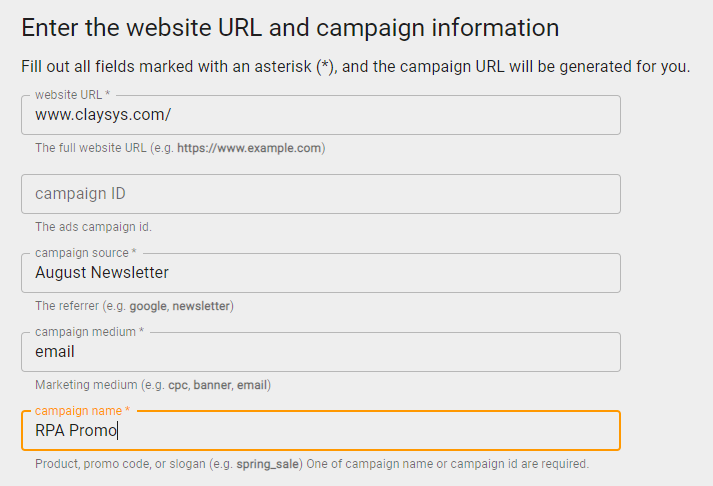
A well-setup UTM link in email campaigns should tell you the source of the web traffic, how and why the traffic comes to the website. Common UTM parameters include: 

  • Campaign name – to identify the name of the campaign.                  
  • Medium – to track the campaign medium that is the email, organic, social, or CPC (cost per click). 
  • Source – to identify the source of the campaign which includes a newsletter name or email. 
  • Content – to identify the content of the campaign in order to distinguish between multiple ads in a campaign.  
  • Campaign term – to identify the term or keyword used to search.

The easiest and the best way to create a UTM code is Google’s URL builder which is convenient for beginners.  

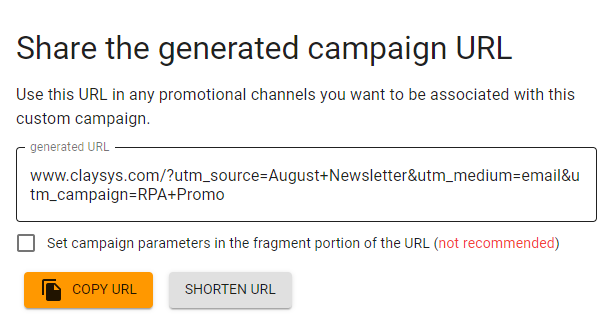
This is how a URL builder looks like once you fill the required fields:

UTM Parameters

Here is what a URL looks like after UTM tagging:

UTM Parameters

Once the link is generated, you can copy the whole link and use it in your email campaign. When the user clicks on the link containing UTM code, it facilitates Google Analytics to track the particular channels, campaign ID, sources, content, or campaign terms the customers use to visit your website.  

How to track Emails Marketing Effectiveness with UTM codes? 

After building up the email marketing campaign, one can begin adding UTM. Once you start adding UTM codes to email marketing campaign links and distribute them to your customers, you can also track emails in detail at the level of individual links.  

If you are using Google Analytics then it will provide reports containing UTM data. To view the reports: 

  • Navigate to Acquisition in the Google Analytics dashboard 
  • Then go to All Traffics
  • Select Channels under All Traffics. 
  • Select Campaigns and go to All Campaigns. 

This helps you to measure what content, campaigns, and email sources are creating more traffic in the website.  

It is very much necessary to track the traffic to the website not just to understand the readers of your material but also to analyze what needs to be changed or fixed along the way.  

Wrap up 

Irrespective of the size of your business, email tracking is a good practice that every business should follow. When you run email campaigns, you should be able to measure how well they work.

This allows you to enhance your future email marketing campaign because email tracking gives you good acumen about what works and what doesn’t.

Furthermore, using UTM parameters for email tracking takes it to another level, providing you with a wide array of detailed information. 

To conclude, using UTM in email marketing enables you to improve marketing campaigns and to focus on spending time and money on the most effective strategy.  

Get Started with our Services

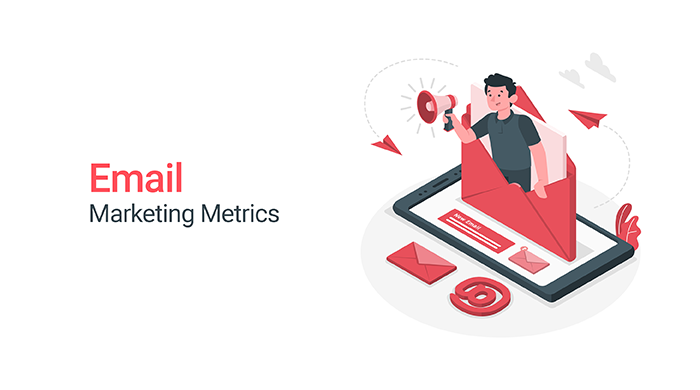
10 Email Marketing Metrics to Track and Optimize For

In the era of rapid digitization, marketing through emails is considered one of the major pillars for any good client recruitment strategy. And this has been the case for quite some time now – ever since its inception in the late 1970s, email marketing tactics have achieved great popularity and traction among firms worldwide. Although spam emails and undesired subscriptions continue to plague customers, a well-deployed email marketing campaign still bears fruits for business.

Email marketing plays a significant role in generating short-term revenue for clientele. And the discipline involves a range of metrics and terminologies that can help streamline this revenue into the long term. In fact, the average return on the interest generated by emails over the last decade was reported to be upwards of 3,800% for every mail sent, which further cements its value within business marketing.

But how does one keep track of these benefits? How does one efficiently gauge whether their strategy is working? In order to correctly answer these questions, we must first understand the different metrics used to track email marketing campaigns.

The 10 Metrics Everyone Doing Email Marketing Must Know

Open Rate

Email Open Rate is quite self-explanatory – it describes the percentage of individuals who have opened your email out of the total number of emails sent. These subscribers will only need to click on the email for this metric to be valid. The open rate can be used to gauge the fractions of your potential clients that may be interested in your offer but need yet to be pursued.

Click-through Rate (CTR)

This is possibly one of the most widely used email marketing metrics. It describes the percentage of individuals who have clicked on at least one link attached to your email out of the total number of emails delivered. A common mistake when calculating this metric is taking the total number of emails as opened emails instead of just delivered ones. This can be used to estimate the fraction of your clientele that is interested in your offer but have yet to convert.

Conversion Rate

Conversions describe the individuals who have turned over into clients by following through with your CTA. This could be new sign-ups, new subscriptions, submitting feedback, etc. The percentage of individuals who have successfully responded to your CTA out of the total emails delivered describes the email conversion rate. Typically, these conversions can be used to compare the total leads generated in one campaign compared to another.

Bounce Rate

Bouncing emails is a phenomenon where the sent email is not received by the subscriber either due to a faulty email address or because of being returned by the recipient server (hence, “bounce” rate). The percentage of mails returned out of the total sent describes the email bounce rate. Campaigns that register a high bounce rate will need to reevaluate their structure and ensure that their strategy is not misinformed.

 Click-to-Open Rate (CTOR)

This metric is used to determine how well the actual content of the email has performed. Furthermore, it describes how effective specific emails are in a given demographic in terms of email message, design of content, and generating client interest. The percentage of emails that have generated a unique action by the client (such as clicking on a link) out of the total emails opened (not just delivered) describes the CTOR.

Number of Unsubscribes

This is yet another self-explanatory metric. It simply describes the number of individuals who have opted not to receive any further emails from your firm out of the total number of current subscribers. This may be due to the content of your email, the frequency of your emails, the incompatibility of your emails to your demographic, and so on.

Overall ROI

Return on Interest in an email campaign is used to quantify the effectiveness of the campaign in terms of profitability. This is determined as the percentage of money returned (the difference between the total spent for the campaign and revenue generated) from the total amount spent during the whole campaign. This metric is important to compare the overall worth of one campaign compared to another in order to gain the best bank for the buck.

Subscriber Retention Rate

This defines the fraction of individuals who have chosen to continue receiving emails from your firm. It is described as the percentage of remaining subscribers (after reducing bounces and unsubscribes) from your initial total number of subscribers. This metric describes both the ability of your emails to deliver information without getting monotonous and the effectiveness of your message within your chosen demographic.

Revenue per Email

RPE determines the profitability of individual emails in your marketing campaign. It is described as the fraction of total revenue generated during the campaign out of the total number of emails received by clients (not necessarily opened). Unlike ROI, RPE takes into consideration the performance of only a single mail-in generating profit. This will help determine the capacity of your mail content to generate hot leads and stable conversions.

Spam Complaint Rate

This metric describes the efficiency of the overall campaign in terms of email content and the frequency of sent emails. It is determined as the fraction of emails reported as spam to the total emails sent.  A typical or ideal spam rate should be less than 0.1% (or 1 spam report out of every 1000 emails sent). Anything more would be the reason for you to reevaluate the specifics of your mails (content, sent frequency, etc.)

In Conclusion

Understanding the metrics above is just the beginning. It is also important to learn the value of these metrics to your campaign specifically, which will only come from experience. These metrics will ensure that your campaign is headed in the right direction, which, in turn, is important to preserve funds, if not generate revenue. So, remember to use these metrics to the best of your advantage, carefully track the nature of your campaign, and make sure that you’re updated with the progress of your current campaign compared to your last.

Get Started with our Services


CUNextGen’s MRM Platform Connects Siloed Systems, Provides RPA, Chatbot and AI Services with Next-Generation Technology

Effectively managing complex member relationships is essential to delivering the kind of consumer experience now required to remain relevant and competitive in today’s financial services market. However, too often a credit union’s unintegrated systems create information silos, making it difficult to impossible to see the full details of a member’s relationship with a credit union in one place, much less take action on all of a member’s needs.

A collaboration between Members Development Company (MDC), a consortium of nearly 70 large and future-focused credit unions, and ClaySys Technologies, a technology company providing products focused in next-generation technology spaces, addressed this problem with the launch of CU NextGen.  The new CUSO’s core competencies center on the technologies of no-code app development, robotic process automation (RPA), and artificial intelligence, which form the foundation of its flagship offering, a new Member Relationship Management platform.

“Responding to a member’s direct interactions is the ultimate test of a credit union’s ability to serve consumers. In this age of Venmo, Amazon Prime and Uber Eats, when a member reaches out, they expect instant—or nearly instant—results,” said Kent Zimmer, MDC’s SVP of operations and CU NextGen’s interim CEO. “Sometimes a member’s request seems simple, but backend systems that don’t interface with each other mean credit unions have to develop manual procedures across multiple business units to complete them. At CU NextGen, our goal is to eliminate these complicated and inefficient processes, replacing them with a holistic solution for fulfilling the needs of members in the manner they’ve come to expect as 21st-Century consumers.”

The CUSO’s development is the direct result of work MDC and ClaySys conducted with MDC’s network of owners in implementing RPA solutions across a variety of high-volume workflows. During this collaboration, the two partners found significant gaps in credit unions’ abilities to fulfill members’ needs quickly and efficiently that could not be solved by RPA alone. A comprehensive view of a member’s accounts and the ability to act on that member’s needs from within a single system were needed.

“Every consumer wishes the companies they interact with could understand their needs quickly and just get it done for them,” said Vinod Tharakan, managing director of ClaySys Technologies and a CU NextGen board member. “When a member calls, emails or starts a chat session with your credit union, they want you to use what you already know about them to anticipate their needs and either proactively get it done or at least do it quickly once requested. This is the kind of member experience CU NextGen was built for.”

CU NextGen’s Member Relationship Management (MRM) platform uses RPA to virtually integrate a credit union’s siloed systems, allowing staff to act on member-facing needs from within a single set of screens. The MRM platform’s portfolio of ancillary services, offered across several modules, has been designed to either enhance member experience or make credit union operations more efficient. Because of the modular design, credit unions may choose to entirely replace existing customer relationship management systems or select just those modules needed to supplement its current technology.

Modules currently available:

  • Customer Relationship Management (CRM), providing MRM’s Member 360 view
  • Business Trouble Ticketing, initiating and tracking tasks across business units
  • AppForms (Forms/Workflows, eSign: DocuSign, Adobe Sign), creating new process streams
  • Knowledgebase, providing answers to chatbots and member-facing staff
  • Chatbots, allowing member self-service
  • Robotic Process Automation (RPA), integrating systems, reducing data entry and retrieval, allowing human staff to focus on enhancing member experience.

Some MDC owners are using the AppForms module to build new, member-facing online account opening processes, which use RPA to create the appropriate records in the different backend systems. Others are using the CRM module’s Member 360 view in their call centers to reduce data entry and retrieval work—as well as hold times.

The use of no-code app development technology allows CU NextGen to rapidly build and deploy new custom solutions to address issues as they arise. For example, the Paycheck Protection Program (PPP) recently implemented under the CARES Act created an avalanche of loan applications from small business members looking for relief during the COVID-19 pandemic, exposing bottlenecks in the existing processes used for processing these loans. In response, CU NextGen helped eight MDC credit unions set up an end-to-end solution for accepting PPP applications, processing them internally, and submitting them to the SBA, providing much-needed relief to members and their employees. Initial development and deployment of this solution with the CUSO’s first credit union client, VyStar Credit Union, took just 72 hours. CU NextGen ultimately helped the eight credit unions deliver 10,000 individual loans totaling over $300 million in small business relief.

“VyStar needed a solution that could help our business community keep tens of thousands of people employed by accessing the funds available through the SBA PPP program,” said Jenny Vipperman, Chief Lending Officer at VyStar Credit Union. “And we needed to automate it at scale in order to offer this to all business members. CU NextGen delivered.”

Board members for CU NextGen are: Timothy Antonition, President/CEO at Space Coast Credit Union ($45.2 billion in assets, 460,000 members); James Nastars, President/CEO at Meritrust Credit Union ($1.3 billion in assets, 105,000 members); Jeff Kline, President/CEO at MEMBERS Development Company; Tony Saldanha, President at Transformant (and formerly VP of Global Shared Services and CIO at Proctor & Gamble); and Vinod Tharakan, Managing Director at ClaySys Technologies.

For more information, visit CUNextGen.com.

The ClaySys Campus: Home For 3000+ IT Professionals

ClaySys was founded in Infopark in 2010 when we occupied the Athulya building at Infopark, Kakkanad. We were less than 20 people in size when we first started, and we have now grown to over 250 people working out of Infopark, Kakkanad. 

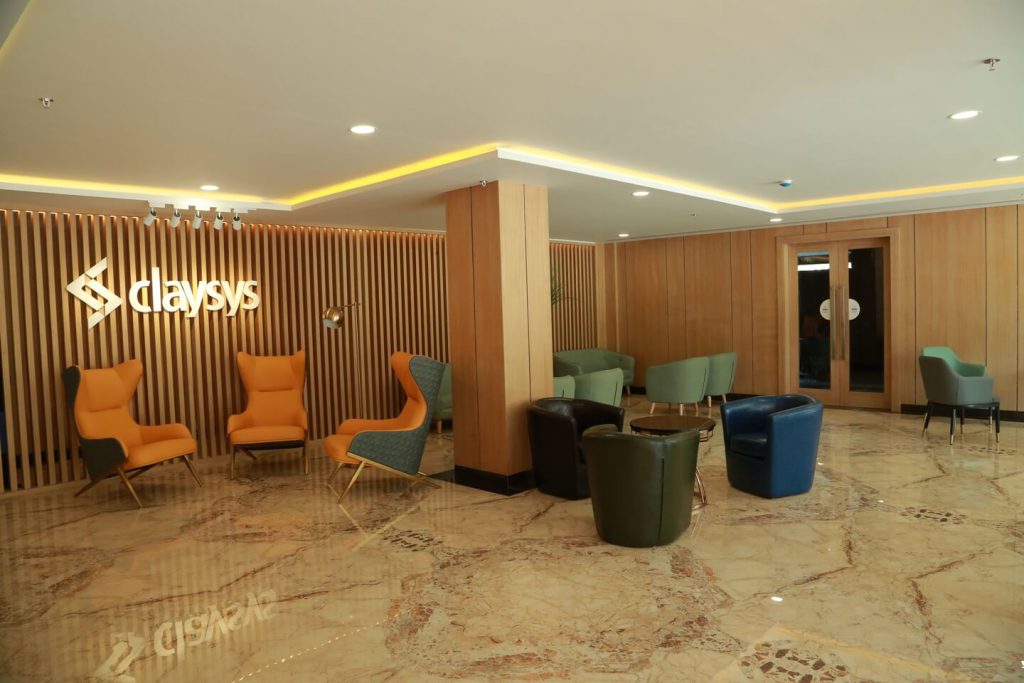
ClaySys has 250+ Employees at Infopark Kochi today, and to support our growth, we have invested in setting up a next-gen IT Campus at Infopark Phase 2.

Cutting Edge Construction Technologies

The ClaySys Campus was constructed using next-generation construction technologies, that have been utilized in Kerala for the first time, to facilitate an IT Office Building built with heat insulation specifications exceeding an R-Value of R20, to ensure energy efficiency best suited for 24/7 air conditioning. With our heat insulation specification of R20, we require less than 30% of the energy for air conditioning, as compared to traditionally constructed buildings without heat insulation. 

The ClaySys Campus is one of the first buildings in India that has been built with a Solar Panel Glass Façade. The entire building façade is enclosed in Solar Panels generating in excess of 50 Kilowatts of power, which addresses more than 30% of the energy requirements of this building. 

The entire design, development, and construction of the ClaySys campus were executed by the in-house ClaySys construction team, from our sister construction company ClaySys Lifestyle Pvt Ltd

Image Gallery

What We Have Been Able To Achieve So Far

ClaySys brought to market the leading NoCode/LowCode Software Application Development platform called ClaySys AppForms, which is a next-generation platform for building business software applications. 

ClaySys is in the ‘Automation Technology’ space, where NoCode/LowCode Software Application Development enables delivering software to the business 10 times faster, with exponentially better security, and ease of ongoing maintenance. 

The ClaySys AppForms platform also has an RPA (Robotic Process Automation) Module built into it, which enables automating many manual tasks using Software Robots. A Software Robot can automate most of the manual data entry tasks done by humans and is at the leading edge of automation technologies today. 

The current industry projections are then more than 50% of the existing white-collar jobs will be automated using such technologies. 

The ClaySys AppForms platform already has several key international clients across multiple vertical industries like Banking and Financial Services, Healthcare, Manufacturing, Energy, Professional Services. 

Some of our Fortune 500 clients are WellsFargo Bank, JP Morgan Chase, ExxonMobil, 3M, Facebook, Deloitte, Atlantic Health System, and CVS, and we have many other clients amongst the mid-sized international companies as well. 

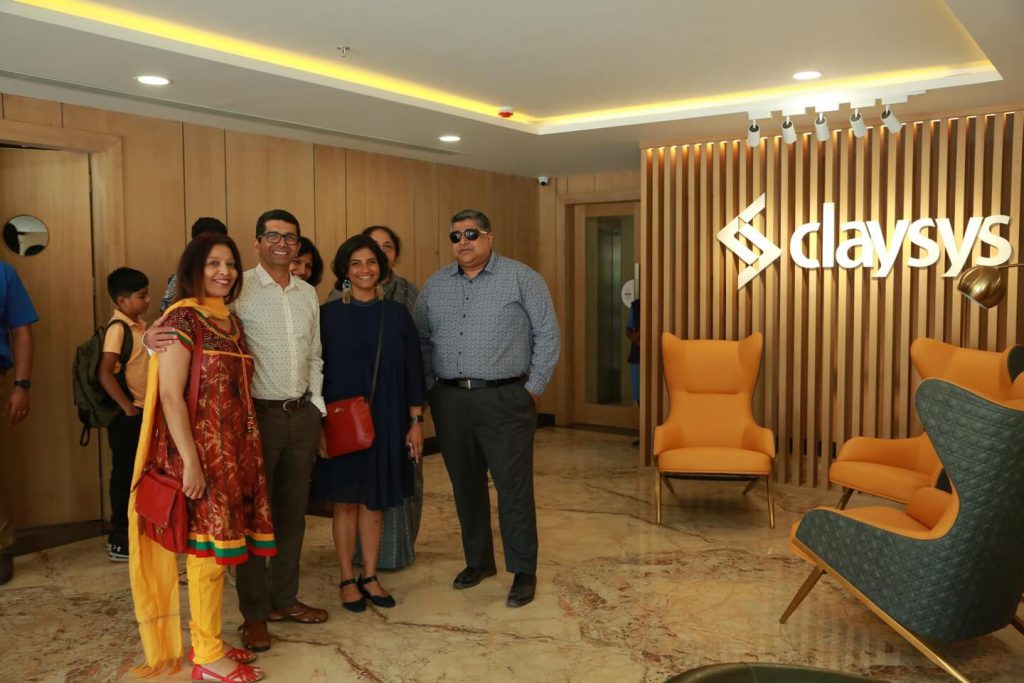
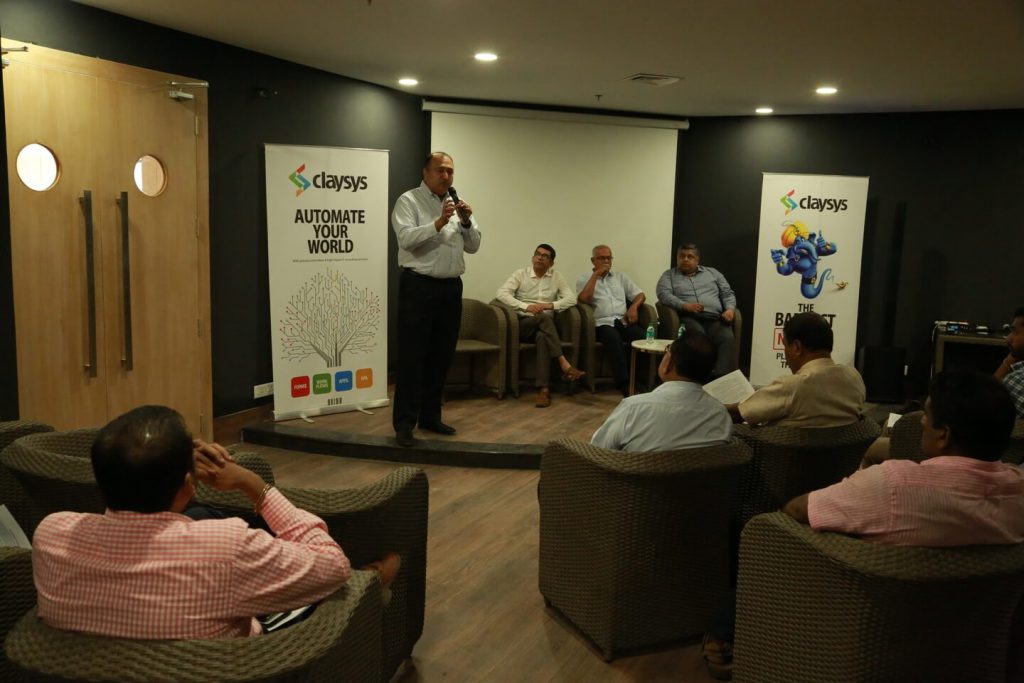
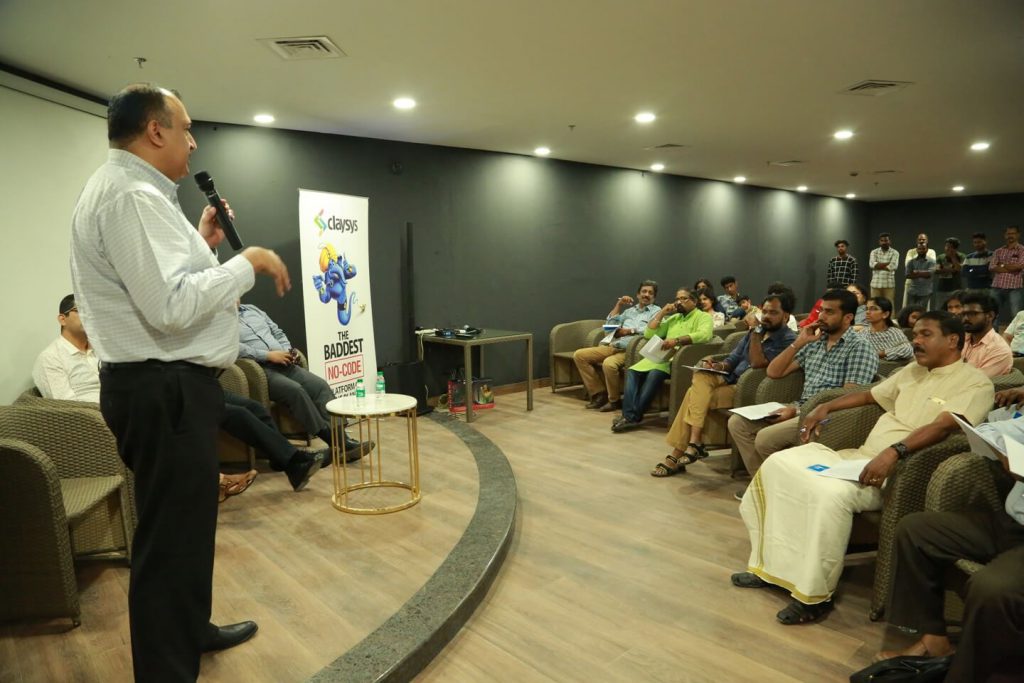
On 9th January 2020, we inaugurated the first building in our IT Campus, which will be followed by 2 more buildings to complete our Technology Campus. On completion, the ClaySys IT Campus will accommodate more than 3000 techies at Infopark Phase 2.

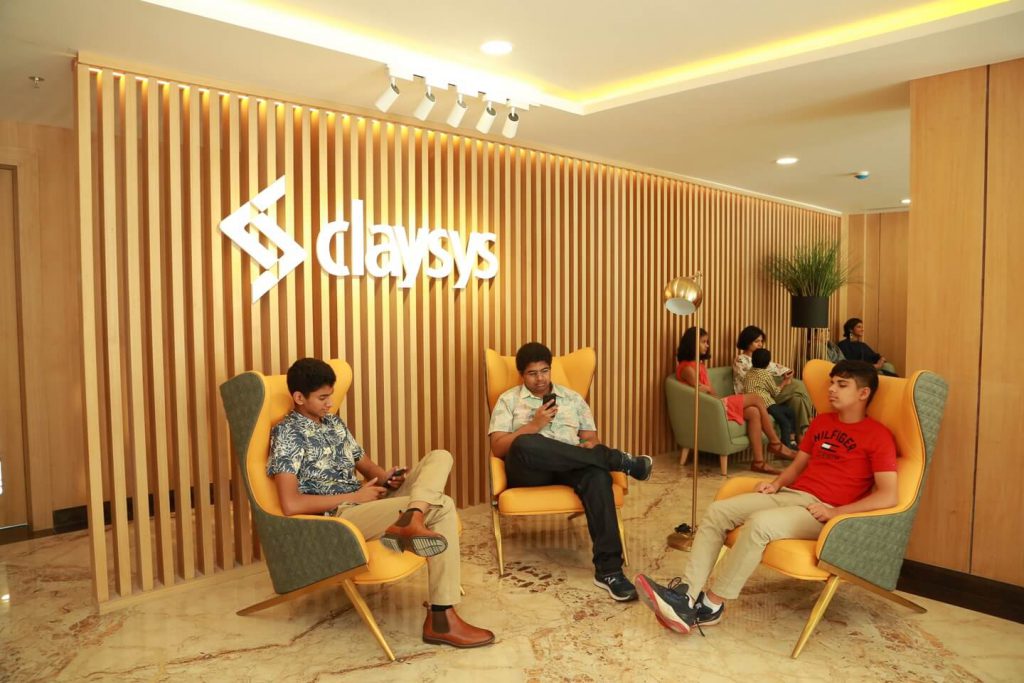
The ClaySys IT Campus is designed to provide an embedded club and recreation center within the office itself, to provide the right work-life balance for our staff. Being an international company, we have staff working at odd hours to support clients around the world, and having the right facilities at the office, ensures the appropriate options for leisure activities while in the office itself. 

Vinod Tharakan is the Managing Director of ClaySys, and the other Directors present for the inauguration were Dr. Manoj Tharakan, Dr.Naguesh Gaunekar, and Mrs. Thresiamma Tharakan. 

Media Mentions

  • https://www.mathrubhumi.com/ernakulam/nagaram/article-1.4429601
  • https://keralakaumudi.com/news/news.php?id=221853&u=local-news-ernakulam
  • https://www.sathyamonline.com/business-news-infopark-295714-2/
  • https://www.infomagic.com/news/latest-business-updates/claysys-kochi/36/46380

Five Lakh IT Jobs by 2020

KOCHI: Kerala Government’s IT policy targets to create five lakh job opportunities by 2020. If everything goes as planned, Infopark will be able to provide one in three IT jobs in the state by then, Infopark CEO Hrishikesh Nair said. He added that Infopark Kochi, which started in 2004, aims to develop eight million square feet built-up space by 2020 in the second phase. Hrishikesh Nair was speaking to media persons on the sidelines of a press conference here the other day.

Infopark has a built up space of 4.5 million sq ft and this will go up to 6 million by the end of the current fiscal with the opening of the Phase II at Infopark Thrissur, he further said. The expected turnover of Infopark in 2015-16 is Rs 3,500-3,750 crore. The total turnover in 2014-15 was Rs 3,150 crore and Rs 2,650 crore in 2013-14.

Chief Minister to inaugurate Infopark Phase II on May 6

Infopark has joined hands with several global IT companies and infrastructure developers like Cognizant Technologies, UST Global, Trans Asia, Muthoot Group, Media Systems, Claysys Technologies, Caspian Techparks and Padiyath Innovation for phase II development. Around 60 per cent of the land in the second phase has been leased out successfully to IT/ITeS companies and co-developers.Hon’ble Minister for Fisheries, Ports and Excise Shri K Babu, Hon’ble Minister for Public Works Shri V K Ebrahim Kunju, Chalakudy MP Shri Innocent, Shri V P Sajeendran MLA, Shri Benny Behanan MLA, Industries and IT Principal Secretary Shri P H Kurian and Ernakulam District Collector Shri M G Rajamanickam, will be present among a host of other dignitaries.