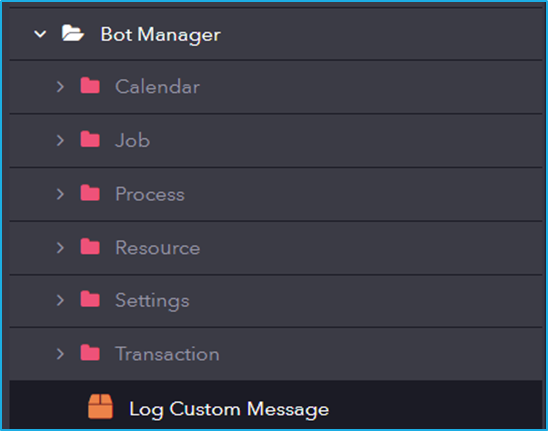
Activity – Bot Manager

Bot Manager provides functionalities to manage, schedule, and monitor bots within the automation environment, ensuring efficient execution and resource utilization.
Activity – Programming

Programming includes activities for managing data structures like collections, dictionaries, data tables, JSON, strings, and XML. It supports efficient data handling, including accessing key-value pairs, iterating collections, performing date/time calculations, and parsing or manipulating data formats.
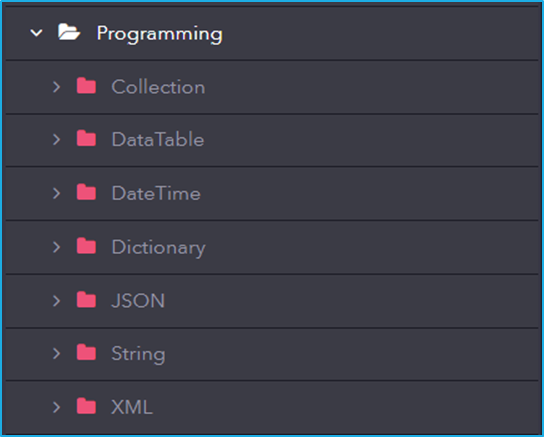
Under Programming, we will be able to find activities in which manipulation of various data types is possible (ArrayList, DataTable, String, etc).

Sub Activity – Screen Scraping

Screen Scraping activities for extracting structured data from application screens. It enables automation to retrieve table data efficiently from UI elements.
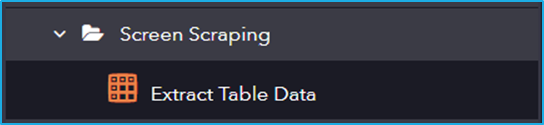
The Screen Scraping activity has the following sub activity:

Extract Table Data: This activity allows the users to extract the data from the screen and save it into a structured datatable.

Configurations:

  • Element: This field supports only UI element variable returned by another activity.
  • Selector: String of code that uniquely identifies a specific UI element on a webpage or application.
  • Options: Click the button to launch the Data Scraping Configuration Wizard.

Output Properties:

  • Data: The scrapped information is stored in a DataTable variable.

Sub Activity – Mouse

Simulates mouse actions (click, hover, etc.) on images found within the user interface.
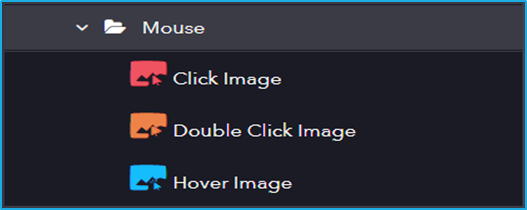
The Mouse activity has the following sub activities:

Click Images: This Activity searches for a particular image inside a UI element and clicks it.

Element Properties:

  • Element: This field supports only UI Element variable returned by another activity.

Options Properties:

  • Mouse Button: Click action by the mouse button (left or right).
  • Cursor Position: Displacement of the cursor position according to the option selected from the drop-down (Center, TopLeft, TopRight, BottomLeft, BottomRight).

Image Properties:

  • Image: The image variable to locate and click.
  • Accuracy: Indicates the accuracy for the image search.

Double-click Images: This activity will search for the specified image and double-click on it.

Input Properties:

  • Element: This field supports only UI Element variable returned by another activity.
  • Mouse Button: Click action by the mouse button (left or right).

Image Properties:

  • Image: The image variable to locate and double click.
  • Accuracy: Indicates the accuracy for the image search.

Hover Image: This activity involves hovering the cursor over the indicated UI element.

Input Properties:

  • Element: This field supports only UI Element variable returned by another activity.

Image Properties:

  • Image: The image variable to locate and hover over.
  • Accuracy: Indicates the accuracy for the image search.

Sub Activity – Find

The Find locates images within the user interface to support automation tasks.
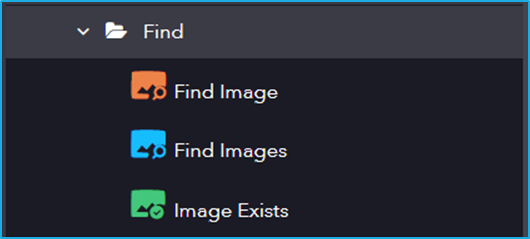
The Find activity has the following sub activities:

Find Image: This activity waits for an image to appear in a UI Element and returns a UI element with the clipping region set to the bounding element.

Element Properties:

  • Image: The image variable to be located.

Image Properties:

  • Accuracy: Indicates the accuracy for the image search.

Output Properties:

  • BoundingElement: Element variable which stores the found UI Element.

Find Images: This activity is used to find multiple occurrences of the same image on a web page.

Element Properties:

  • Image: The image variable to be located.

Image Properties:

  • Accuracy: Indicates the accuracy for the image search.

Output Properties:

  • BoundingElement: Element variable which stores the found UI Element.

Images Exists: This activity is used to check whether an image exists or not.

Element Properties:

  • Accuracy: Indicates the accuracy for the image search.

Image Properties:

  • Image: The image variable to be located.

Output Properties:

  • Found: Boolean variable which indicates whether the image exists or not.

Sub Activity – Image

The Image category has the following sub activities:
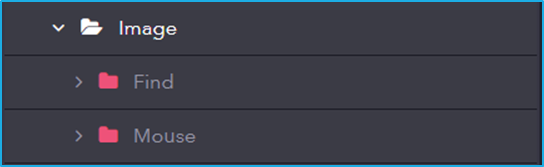
  • Find: Locates images within the user interface for automation purposes.
  • Mouse: Simulates mouse actions (click, hover, etc.) on images found within the user interface.

Sub Activity – Event

Event involves activities that monitor and respond to system or user-triggered events. It enables event-driven automation by detecting actions like mouse clicks, file changes, and system events.
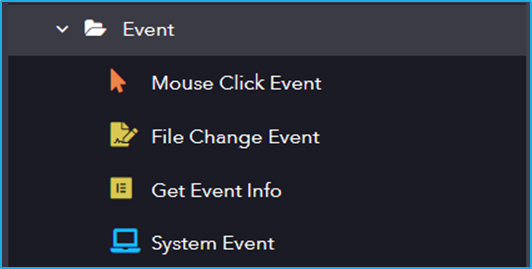
The Event activity has the following sub activities:

Mouse Click Event: This activity is used to monitor each mouse click on a specified UI element.

Element Properties:

  • Selector: String of code that uniquely identifies a specific UI element on a webpage or application.
  • IncludeChildren: Upon selection, the descendants of the specified UI element are also monitored.

Options Properties:

  • RepeatForever: Enables the indefinite repetition of this activity.

File Change Event: This activity monitors the event changes in a directory or a specified file.

Directory Information:

  • FileName: Specifies the File Name (If not provided then it will check for changes in all the files present in the directory).
  • Directory: Specify the directory path.
  • IncludeSubDirectories: Enables to check for changes in subdirectories.

Options Properties:

  • RepeatForever: Enables the indefinite repetition of this activity.
  • ChangeType: Specify the change type that needs to be detected.
  • NotifyFilters: Select the NotifyFilters.

Get Event Info: This activity will return information about the current event that is occurring.

Output Properties:

  • Result: Get event information.

System Event: This activity monitors a specified system-wide key or mouse event.

Options Properties:

  • EventTriggers: Option to select whether a keyboard or mouse event is triggered.

Sub Activity – Mouse

This section in UI Automation allows you to automate interactions with the user interface using mouse actions. It provides functionalities to simulate clicks, double-clicks, and hover events, enabling you to control application elements as if a user were physically interacting with them.
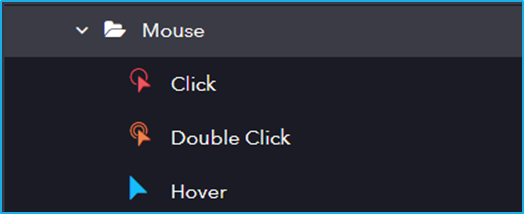
The Mouse activity has the following sub activities:

Click: This activity helps the user to click the specified UI element.

Options Properties:

  • Mouse Button: Click action by the mouse button (left or right).
  • Simulate Click: Stimulates a mouse click on an element.
  • Cursor Position: Displacement of the cursor position according to the option selected from the drop-down (Center, TopLeft, TopRight, BottomLeft, BottomRight).
  • OffsetX: “X” coordinates to shift the action location relative to the CursorPosition.
  • OffsetY: “Y” coordinates to shift the action location relative to the CursorPosition.

Double Click: This activity will help the user to double-click a particular UI Element.

Options Properties:

  • Mouse Button: Click action by the mouse button (left or right).
  • Simulate Click: Stimulates a mouse click on an element.
  • Cursor Position: Displacement of the cursor position according to the option selected from the drop-down (Center, TopLeft, TopRight, BottomLeft, BottomRight).
  • OffsetX: “X” coordinates to shift the action location relative to the CursorPosition.
  • OffsetY: “Y” coordinates to shift the action location relative to the CursorPosition.

Hover: This activity involves hovering the cursor over the indicated UI element.

Sub Activity – Keyboard

The section in UI Automation enables automated interaction with applications by simulating keyboard actions.
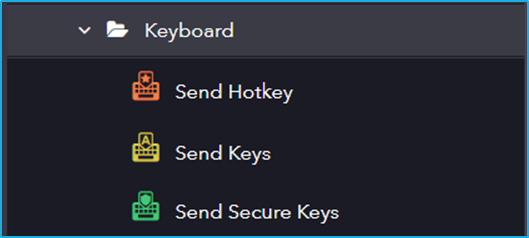
The Keyboard activity has the following sub activities:

Send Hotkey: This activity sends keyboard shortcuts to a specified UI Element.

Input Properties:

  • KeyModifiers: enter a hotkey to perform a specific action or command.

Options Properties:

  • Activate: Enables the specified UI element field.
  • ClearField: Removes existing text from the specified UI element field.
  • ClickBeforeTyping: The specified UI element field is clicked before sending the keystrokes.

Send Keys: This activity allows the users to send keys to a specified UI Element.

Input Properties:

  • Keys: Input text that is to be written in the specified UI element field.

Options Properties:

  • Activate: Enables the specified UI element field.
  • ClearField: Removes existing text from the specified UI element field.
  • ClickBeforeTyping: The specified UI element field is clicked before sending the keystrokes.
  • DelayBetweenKeys: The time interval, in milliseconds, between each keystroke.

Send Secure Keys:  This activity lets users pass keys as a Secured String variable instead of a String variable format.

Input Properties:

  • Keys: Secure string that is to be written in the specified UI element field.

Options Properties:

  • Activate: Enables the specified UI element field.
  • ClearField: Removes existing text from the specified UI element field.
  • ClickBeforeTyping: The specified UI element field is clicked before sending the keystrokes.
  • DelayBetweenKeys: The time interval, in milliseconds, between each keystroke.