Demo Project using Element – Checkbox and Radio Button Activities

The URL of the demo project is given below where users can learn about these activities in a better manner.

Steps:

  1. First Demo Project: Checkbox Sequence 
  2. Second Demo Project: Radio Button Sequence 
Activities Used“Open Browser, Maximize, Select Checkbox, Get Checkbox Selection State, Select RadioButton, Get Radio Button Selection State, Message Box”
Video Linkhttps://www.youtube.com/watch?v=54D8S_f1unw&list=PLwFA5laAhcEJ7sVztHRNXDdXffy2odMvv&index=40

Job State

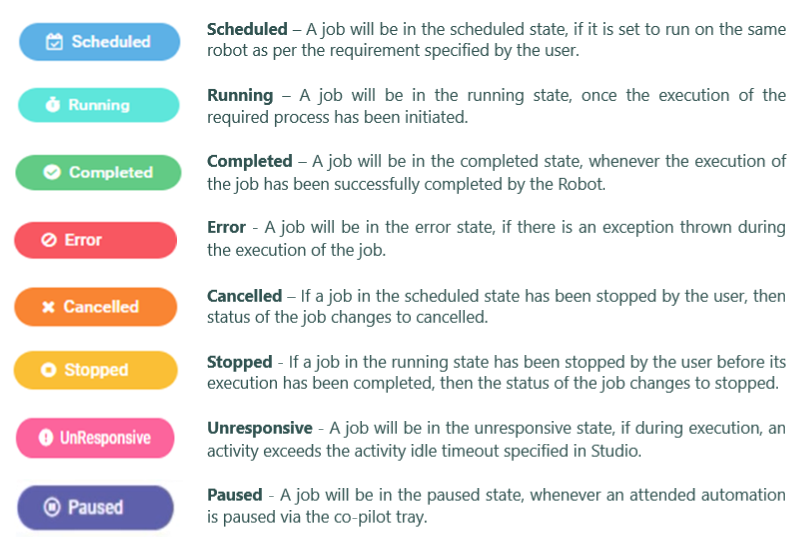
Jobs consist of different states indicating their progress. These states provide users with crucial insights for effective workflow management. The Job states are as follows:

Start Job

In order to start a Job, the user should add the Process before running it as a Job.

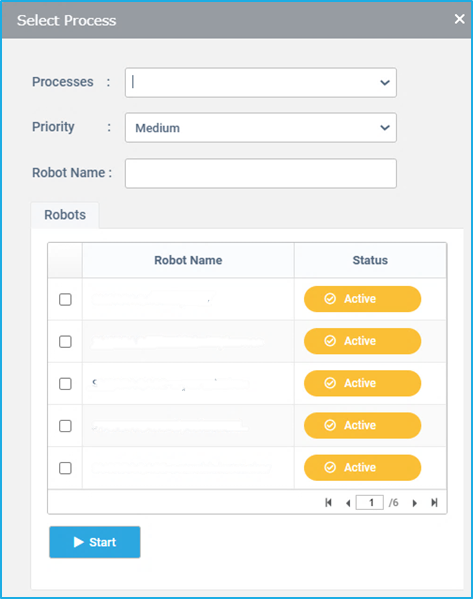
  • Select Dashboard, click on the Start Job button. Then the ‘Select Process’ window will be displayed.
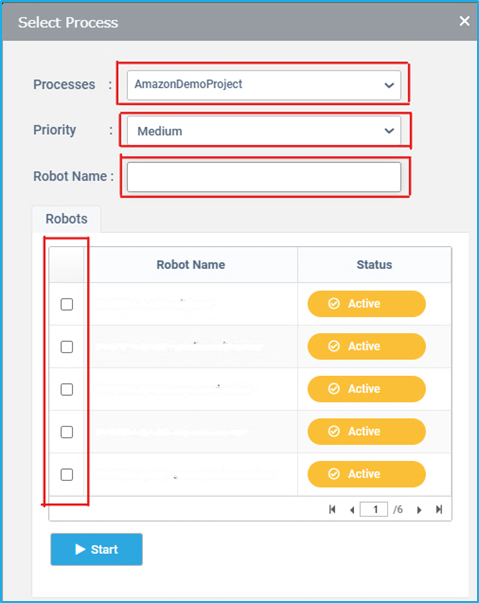
  • Processes: From the Processes dropdown list, select the desired Process.
  • Priority: The BOT Manager URL is accessible on the net, so that this can be used by multiple users. If multiple users use the BOT at the same time, there may be chances where the BOT may not run the right jobs according to the required priority. Therefore, we can set the priority to High, Medium or Low. If the Priority is the same for some jobs, then the jobs will be executed on First come First serve basis.
  • Robot Name: Filter the Robot list by giving the name of the Robot in the Robot Name field.
  • Select the BOT(s) through which the Process will be run.
  • Click on Start. The Select Process window closes and the Job Starts through a BOT according to the options which the user has opted. The Status along with details such as Robot Name, Process Name, Start Date & Time, End Date & Time will be displayed in the Robot Job List.

Job Execution

To start/configure a job, the user has to select the desired Process and the bot that is required to run the Process and then proceed with the Start option. The Process will be listed in the Robot Job list with the details such as execution and its status. Additional details such as Activities, Transaction and Logs can also be viewed.

A particular Job can also be launched through a trigger which is used in cases where a scheduled execution is required. Therefore, the Process will be executed as per the desired manner of a user. The user can decide the type of the trigger (Time Scheduler or Queue Scheduler) for running a Job as per the requirement.

Note: Refer to Triggers section for more details

BOT Transactions

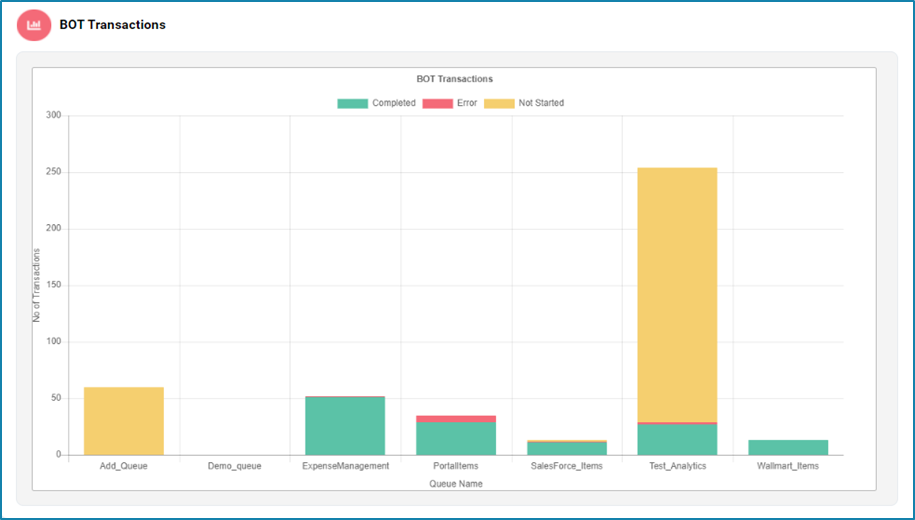
In the BOT Transactions section, users can view the total number of transactions handled by the bots. This data is presented in a bar chart, making it easy to visualize and compare the transaction volumes over different periods or among different bots.

  • Horizontal X-Axis typically represents the different bots. Each bar corresponds to a specific bot, labeled accordingly.
  • Vertical Y-Axis shows the number of transactions. The height of each bar indicates the total number of transactions handled by the corresponding bot.
  • Each bar represents the transaction volume for a particular bot.

This graph helps users quickly identify trends, peak transaction times and overall bot activity levels, providing valuable insights about the bots performance.

BOT Efficiency

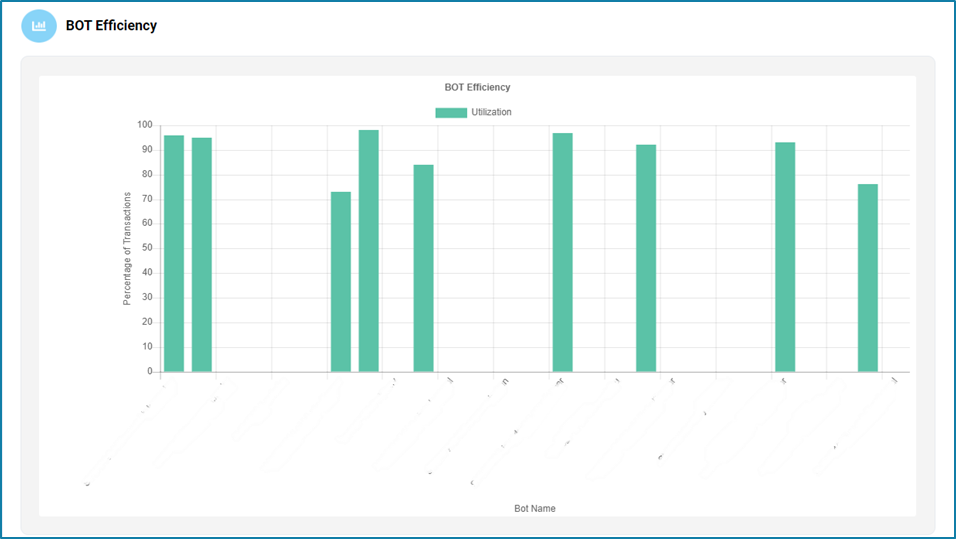
The BOT Efficiency section includes detailed information on the utilization of each bot. Users can see a list of BOT machines and their respective utilization rates, displayed in a bar chart format.

  • Horizontal X-Axis represents the different bots. Each bar corresponds to a specific bot, labelled with the bot’s identifier or name.
  • Vertical Y-Axis shows the utilization rate (expressed as a percentage). The height of each bar indicates the utilization rate of the corresponding bot.
  • Each bar represents the utilization rate for a particular bot.

This graph can help to improve overall efficiency by allowing users to monitor how effectively each bot is being used and identifying underutilized bots.

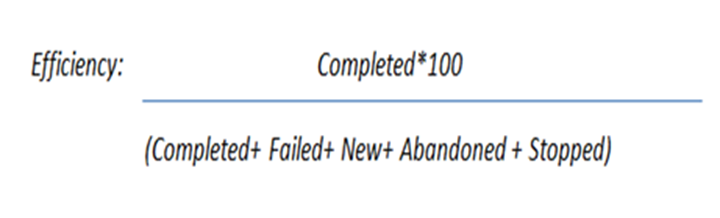
The efficiency of each bot can be calculated using the below equation:

Total Transaction Overview

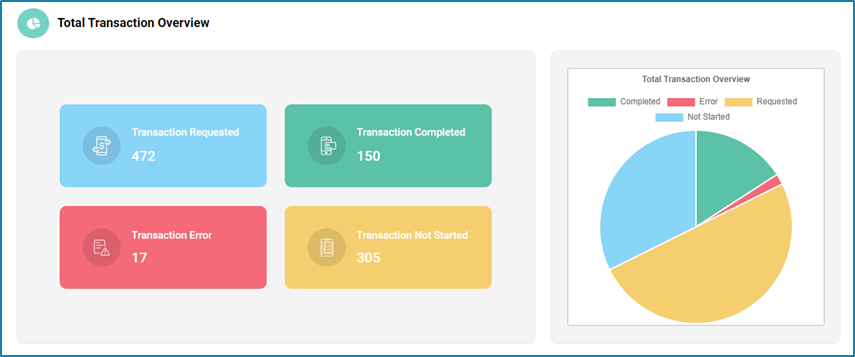
The Total Transaction overview section includes the summary of all the items that are added to the queue and the robot transactions. This section is all about the Queue transactions and it is categorized into four parts as follows: 

StatusDescription
Transaction RequestedTotal transaction in queues.
Transaction Not startedNew transactions in queues.
Transaction ErrorThe total number of transactions that failed, were abandoned, or stopped.
Transaction CompletedCompleted transaction in each queue

User will be able to compute the number of transactions in a queue based on the completed, requested, error and not started statuses.

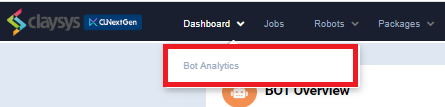
Bot Analytics

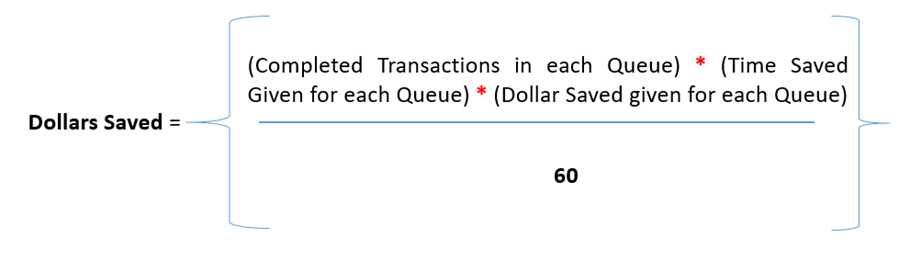
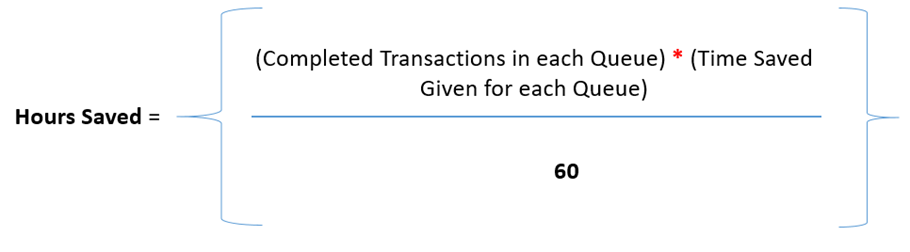
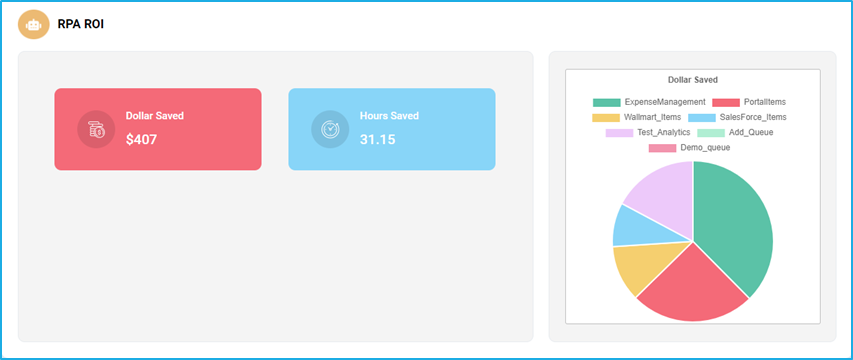
Bot Analytics is another option under the Dashboard. This is a business dashboard that completely depends on the Transactions and Queue Items. It will give an estimate of the dollars saved and hours saved.

The following equations are used to calculate the Dollars saved and Hours saved, respectively

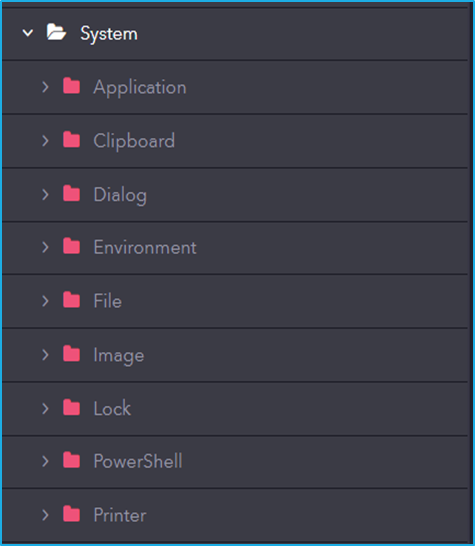
Activity – System

The system includes activities for interacting with the operating system, managing files and folders, executing commands, handling clipboard operations, and configuring system settings to support automation workflows.