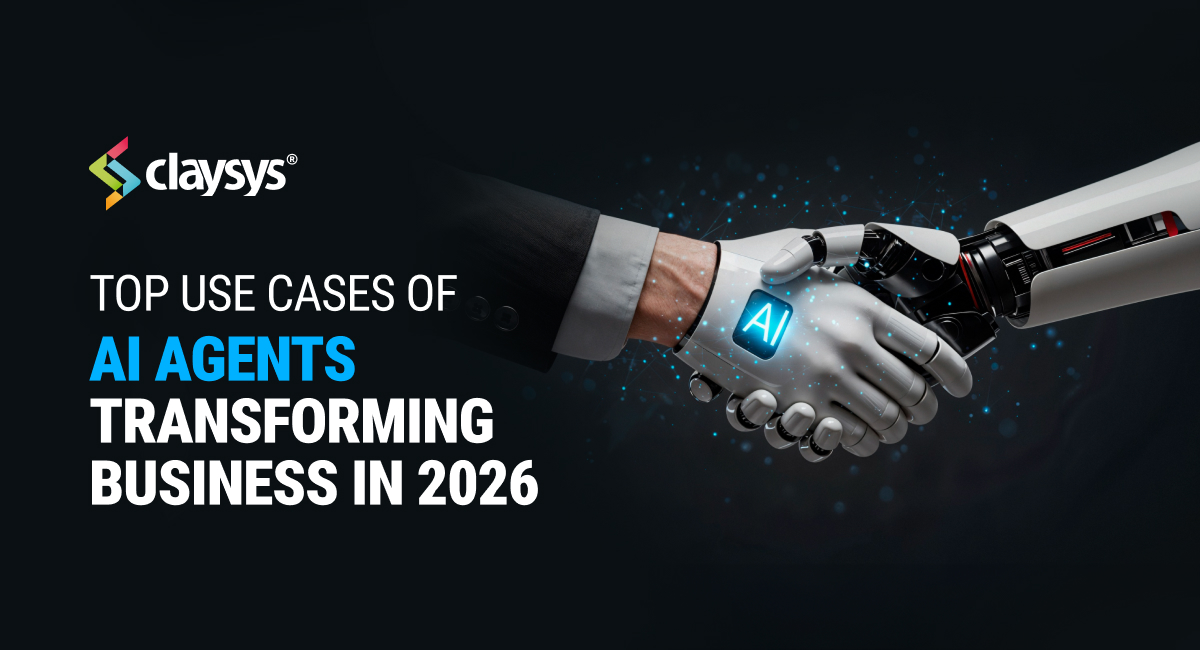
AI agents are no longer a lab experiment in 2026. They are the ones behind customer support calls, sorting support tickets, placing trades, and handling entire work processes, often without human intervention.
According to a survey done in spring 2025 by MIT Sloan Management Review and Boston Consulting Group, 35% of companies already had AI agents deployed, and 44% were planning to do so in the near future. The focus has changed from “should we use AI agents?” to “where should we start, and how do we do it correctly?”
What is an AI Agent?
An AI agent is something that gets more importance nowadays than robots and chatbot interfaces. It is a computer program that can observe its surroundings, decide, act, and learn from the results, without a human controlling it at every step.
In contrast to a regular AI model that responds to a question and stops, an agent goes on. It can research the internet, write and run software, send emails, make API calls, work with other agents, and return to the initial question in order to check if its actions brought about the expected result. It is the difference between simply asking someone what to do and giving them full responsibility to actually do it.
The change is profound. And sectors such as healthcare, logistics, and finance are already undergoing transformation through the use of AI.
Top Use Cases of AI Agents (With Real-Life Examples)
AI Agents for Customer Service
Customer service is where AI agents have made the loudest impact. The main customer service issues – high volumes of calls, same type of inquiries, agent burnout, and continuous pressure to reduce costs while enhancing customer satisfaction – are exactly the kind of environment that intelligent automation thrives in.
Today’s AI agents in customer service can handle, without interruption, the entire customer support process. They identify customers, get customer data, perform tasks, give answers, handle grievances, and only if really needed, they pass the escalated situation to a human along with the conversation history so that the customer doesn’t have to repeat himself.
While previous chatbots were basically incapable of change and used specific scripts only, present-day customer service agents leverage NLP to understand intents, use sentiment analysis in order to recognize if a customer is very upset and call tools to interact with CRM, billing, and databases in real-time. By 2029, Gartner predicts that AI-powered customer service agents will independently solve 80% of customer service issues, which will result in 30% savings in operational costs.
After implementing an AI support agent, Lyft’s average resolution time dropped by 87%. Amtrak’s virtual assistant Julie answered over five million questions in one year while self-service bookings increased by 25%. Plus, teams that work with AI-assist tools normally report 15-25% reductions in average handling time.
AI Agents for Banking operations
Developing AI agents for high-volume, privacy-sensitive environments such as the financial industry entails more than just making an LLM do the work. A well-planned architecture is not only important but necessary for all banking use cases like transaction history checking, balance inquiries, internal account transfers, and FAQ resolution.
Besides, bank customers are highly sensitive about their data and so the level of error tolerated is very close to zero.
What makes the deployment of a banking agent stand out from a regular enterprise AI? It’s about the infrastructure that defends itself. So here is what a banking agent architecture that is ready for the market actually consists of and why each layer is necessary.
In-House STT & TTS: Keeping Voices Inside the Vault
Most consumer AI products route voice data through third-party cloud APIs, a non-starter in banking. A robust banking Al agent for deployment uses proprietary Speech-to-Text and Text-to-Speech systems hosted entirely within the bank’s own infrastructure. This means sensitive financial conversations of account details, transaction disputes, authentication phrases — never leave the organization’s perimeter.
Hybrid LLM Stack: Intelligence Where You Need It, Speed Where You Don’t
No single model architecture fits every banking interaction. A hybrid LLM approach route queries the right engine based on complexity, latency requirements, and privacy sensitivity.
People tend to think of LLMs for generating text, but their capabilities can be extended vastly with the new advances in tool-use. Examples would be agents which can even execute code in coordination with other agents.
Cloud-based LLMs handle complex, open-ended queries that require deep reasoning a customer disputing an international wire transfer, asking for a personalized loan analysis, or navigating a complex product query. Local/offline models run on the bank’s own servers for latency-sensitive or privacy-critical interactions routine balance checks, PIN resets, statement requests. The result is a balanced stack, intelligence where you need it, speed and control where you need that instead.
RASA Framework Fallback: Zero Hallucination for Critical Flows
For the strictest privacy environments, all processing stays inside the organization’s infrastructure via a framework-based fallback using RASA or equivalent dialogue management systems.
Here, the agent is no longer a text generator but simply a retriever of fixed responses, which are obtained from pre-defined intents, flows, and response templates. When asked about a balance, the agent recognizes the “balance enquiry” intent and provides the balance from the core banking system without any generative inference. This essentially eliminates hallucinations, ensures interactions are predictable and compliant, and allows auditing of every interaction.
AI Agents for Internal Operations & Workflow Automation
AI agents are capable of independent execution of multi-step internal workflows including document processing and compliance checks as well as scheduling, HR onboarding, and inventory management. In contrast with RPA tools that mechanically repeat pre-defined scripts, agentic AI can take exceptions into account, consult external tools, and make context-aware decisions.
It is reported that JP Morgan Chase is among the ones using AI agents for loan approvals and audit processes. Walmart is one of the top retailers using LLM-powered agents for merchandise planning and problem-solving within the company. Getting rid of the time-consuming cognitive work through AI keeps on bringing efficiency higher.
AI Agents for Sales & Lead Management
Sales agents today can do all those activities that a human sales agent usually does without actually having human beside each step qualifying leads, personalizing outreach sequences, updating CRM records, scheduling demos, and following up on stalled opportunities. Sounds great, right? They obtain context from email threads, call transcripts, and CRM notes and produce outreach that is not templated but feels like it has been deeply researched.
Sales automation in general is a good thing that is very close to the sales use case of AI agents where it works 24/7 without worries about commissions, follow up at the exact proper frequency, and never leaving a lead getting cold because someone forgot to check the inbox.
AI Agents for Content & Knowledge Management
Agentic AI combined with generative models is capable of autonomously producing articles, as well as support documentation, internal wikis, and marketing copy targeted to specific audiences. More impressively, content agents can also maintain knowledge bases detecting when information is out of date and generating updated content for human review.
In customer service specifically, these agents analyze resolved tickets, identify knowledge gaps, and generate self-help content, reducing inbound volume before it even reaches the queue. It’s a flywheel that gets smarter with every customer interaction.
Autonomous Research & Intelligence Agents
Research and data analysis are other common use cases of AI agents. Agents are excellent research assistants because this is essentially a problem of synthesizing information which is exactly the kind of task LLMs are best at. Besides, when combined with tools that provide access to the web and databases, agents can independently generate comprehensive reports.
Research agents can scrape competitor websites, pull SEC filings, summarize earnings calls, read scientific papers, monitor news across hundreds of sources, and synthesize everything into a structured report, before your analyst finishes their morning coffee. What previously required 3+ hours of skilled analyst time can happen in minutes, on demand, repeatedly.
There are examples of the use of agents in many different sectors: traders use agents to keep track of market signals and identify anomalies that might affect investment decisions; researchers in the medical field use agents to review large quantities of clinical literature and flag potentially harmful drug interactions; marketing teams have agents that monitor competitors’ campaigns and generate reports on a regular basis. The one thing all these teams have in common is that they have the ability to process huge volumes of information, think about the results from multiple sources, and point out what really matters on a scale no human team is capable of matching.
Software such as Perplexity.ai in its deep research mode and open-source tools like Suna are providing research agents that are accessible to organizations of all sizes, including those that require everything to run on-premises due to strict data governance requirements.
AI Agents for Analytics & Decision Intelligence
Gartner identifies customer service analytics as the single most valuable use case of AI agents in the support domain. Agentic AI allows non-technical leaders to sift through millions of customer interactions using plain English, “show me the top 10 reasons customers called last quarter”, and receive instant, structured insight.
Beyond responding to queries, analytics agents can identify anomalies, alert management about changes in customer sentiment that are precursors to churn, and suggest improvements to workflows, effectively turning historical data into actionable foresight.
AI Agents in Healthcare Appointment & Query Management
AI agents are becoming a critical layer in modern healthcare operations, particularly in front-desk automation, patient engagement, and care coordination. Given the high volume of routine interactions and the need for accuracy, healthcare is an ideal environment for controlled, intent-driven AI deployments.
AI Agents in Language Translation
As businesses expand globally, the demand for real-time multilingual communication continues to grow. AI agents are now playing a major role in breaking language barriers by enabling seamless, real-time translation across customer service, healthcare, banking, and enterprise communication.
Unlike traditional translation tools that rely heavily on external APIs, modern AI-powered translation agents can now be deployed entirely within an organization’s infrastructure—ensuring greater privacy, security, and performance.
ClaySys’s Real-time Spanish Translation Tool
In the AI/ML domain, ClaySys developed a real-time Spanish translation tool that demonstrates what’s possible when AI agents are purpose-built for an organization’s specific needs. This solution was engineered entirely in-house, without relying on external APIs or third-party translation services.
Running on ClaySys’s own servers, the system ensures that all data — including conversations, documents, and input text — stay within a secure, private infrastructure. This architecture eliminates exposure to external data pipelines, making it an ideal approach for industries where privacy and compliance are non-negotiable.
This showcases how organizations can achieve real-time translation accuracy without compromising on security — a key concern that has historically prevented many enterprises from adopting cloud-based translation APIs.
In this scenario, a Spanish-speaking customer can contact support and interact with an AI-powered voice agent that instantly translates the customer’s voice message into English for the support representative. The representative’s voice response is then translated back into Spanish in real time, allowing the conversation to flow naturally without the need for a human interpreter. This helps businesses support multilingual customers more efficiently, reduce operational costs, and deliver faster, more inclusive customer experiences while ensuring seamless communication across languages.
Benefits of Implementing AI Agents in Businesses
Why are businesses making the switch from traditional automation to Agentic AI?
Cost Efficiency: It costs less, handling those “low-risk” interactions (like FAQs or transaction history) through AI, human employees will be able to devote more time for complex, high-value problem-solving.
Data Privacy & Control: All processing remains within the organization’s infrastructure with self-hosted deployments. This feature radically changes things for privacy-sensitive environments.
Predictability: Modern agent frameworks do away with hallucinations by guiding responses through flows that have been predefined for scenarios involving sensitive data and thus are much more predictable than early generative AI.
Scalability: An AI voicebot has the capacity to handle 1, 000 calls at the same time with the same effectiveness and patience as that it acquires during the first call.
The Bottom Line
AI agents are not future technology. They are a present competitive advantage. Businesses that deploy thoughtfully, starting with clear use cases, the right architecture for their privacy needs, and a human-in-the-loop strategy for escalation, are seeing measurable gains in cost, speed, and customer satisfaction.
Customer service is the most proven entry point: high volume, repetitive tasks, tolerance for AI-led interaction, and clear metrics to validate success. But the same architectural principles, hybrid LLM stacks, privacy-first deployment options, and intent-grounded reliability, translate directly into operations, sales, analytics, and beyond.
The organizations winning with AI agents aren’t necessarily the ones with the biggest budgets. They’re the ones with the clearest problems and the discipline to solve them incrementally.
Get Started with our AI Services